1.Dashboard
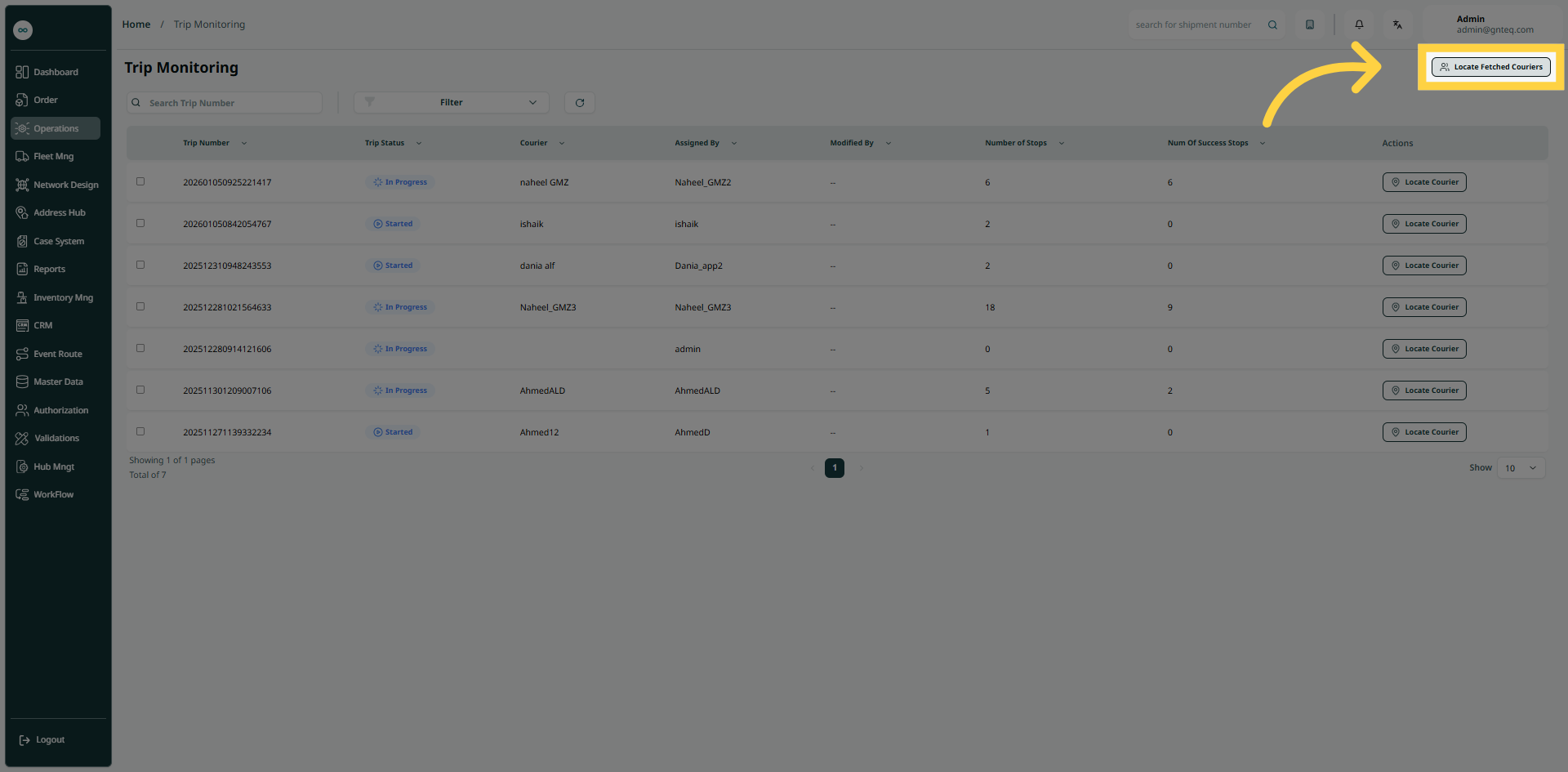
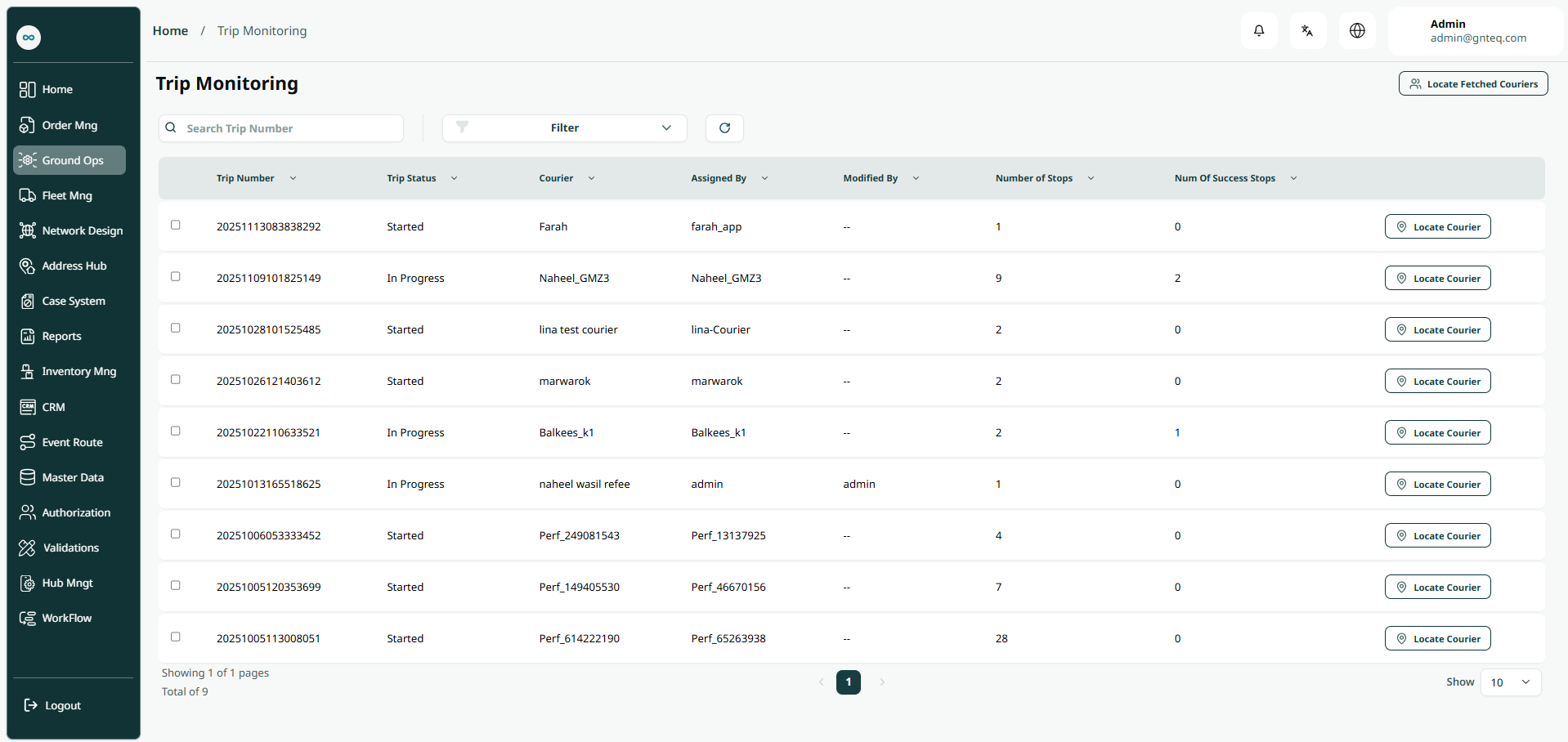
The supervisor can view their defined trip in the system by navigating to the ‘Trip Monitoring’ screen in the Operations module from the left navigation panel as follows:
-
Locate Fetched Couriers: the supervisor can view by clicking on courier location by clicking on Locate Fetched Couriers.
-
Filter: the supervisor can search for the customer by typing the courier, assigned by…..etc.
-
Search: The supervisor can search for the courier location by entering the trip number.
-
Rows Per Page: the supervisor can select the number of items to show on each page
2. Locate Fetched Couriers
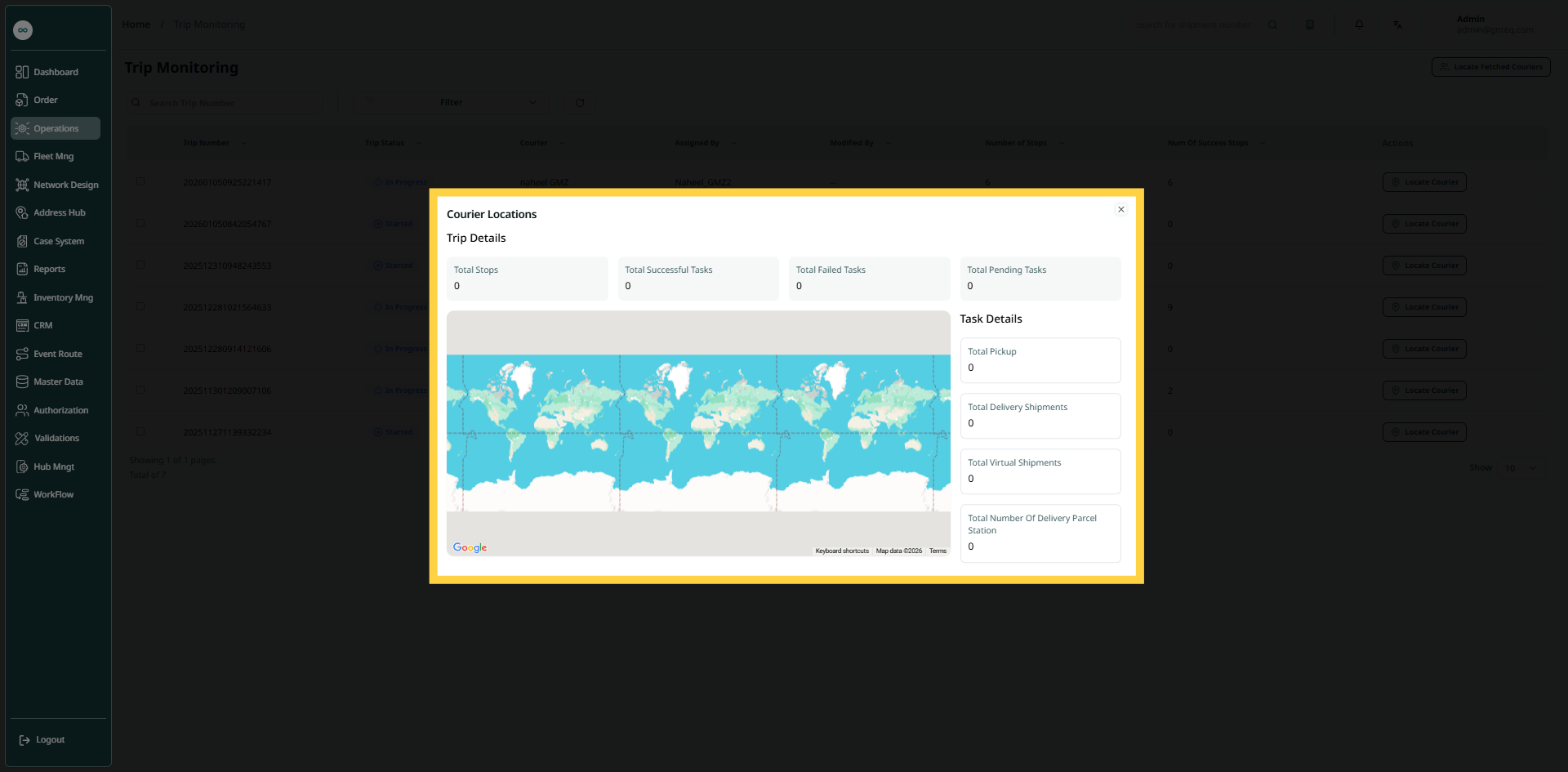
The supervisor can get the courier location by navigating to the ‘Trip Monitoring’ screen via the Operations module and clicking on the Locate Fetched Couriers button: