
1. Charge Types
1.1 Dashboard
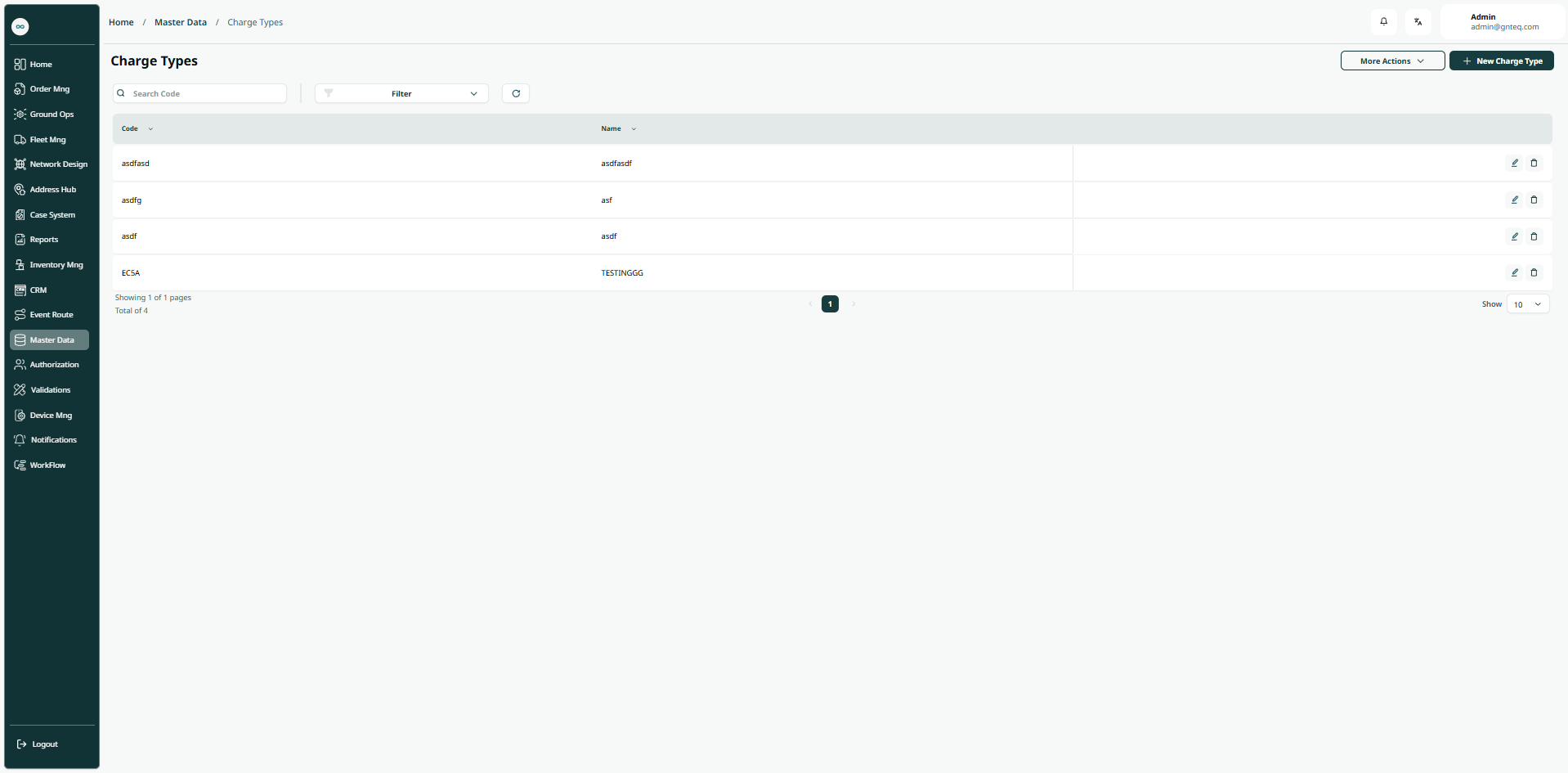
The user can view the defined charge types in the system by navigating to the ‘Charge Types’ screen in the Master Data from the left navigation panel as follows:
-
New Charge Type: the user can add a new charge type by clicking New Charge Type button.
-
Export: the user can export the list as an Excel file by selecting export button.
-
Import: the user can upload the list as an Excel file by selecting import button.
-
Download template: the user can click on ‘Download Template’ to download a certain detail from the dashboard.
-
Filters: the user can search for the shipment by the a code, name…..etc.
-
Rows Per Page: the user can select the number of items to show on each page.
-
Action: by clicking on this button the user can edit, delete.
1.1.1 Edit Information
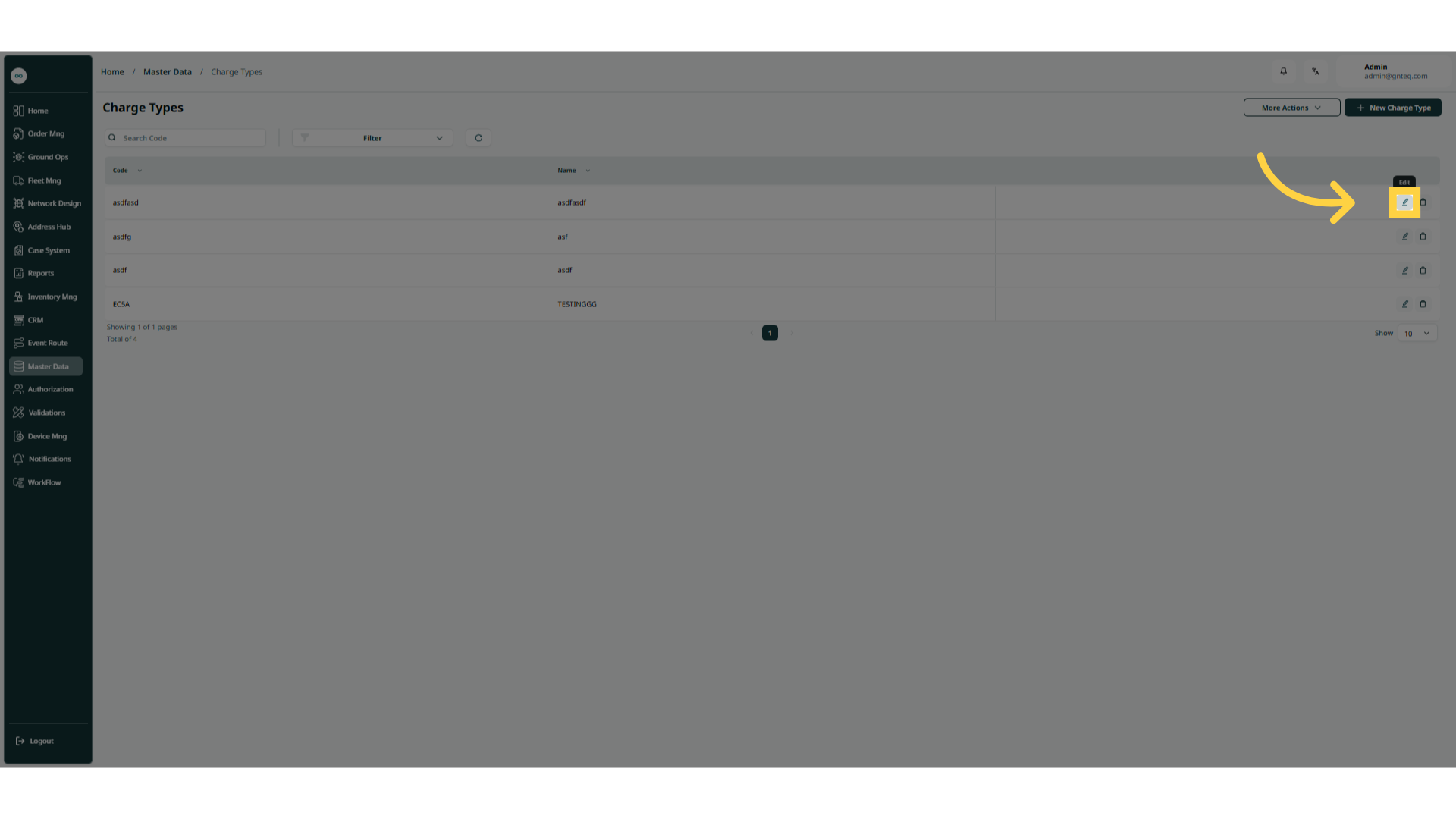
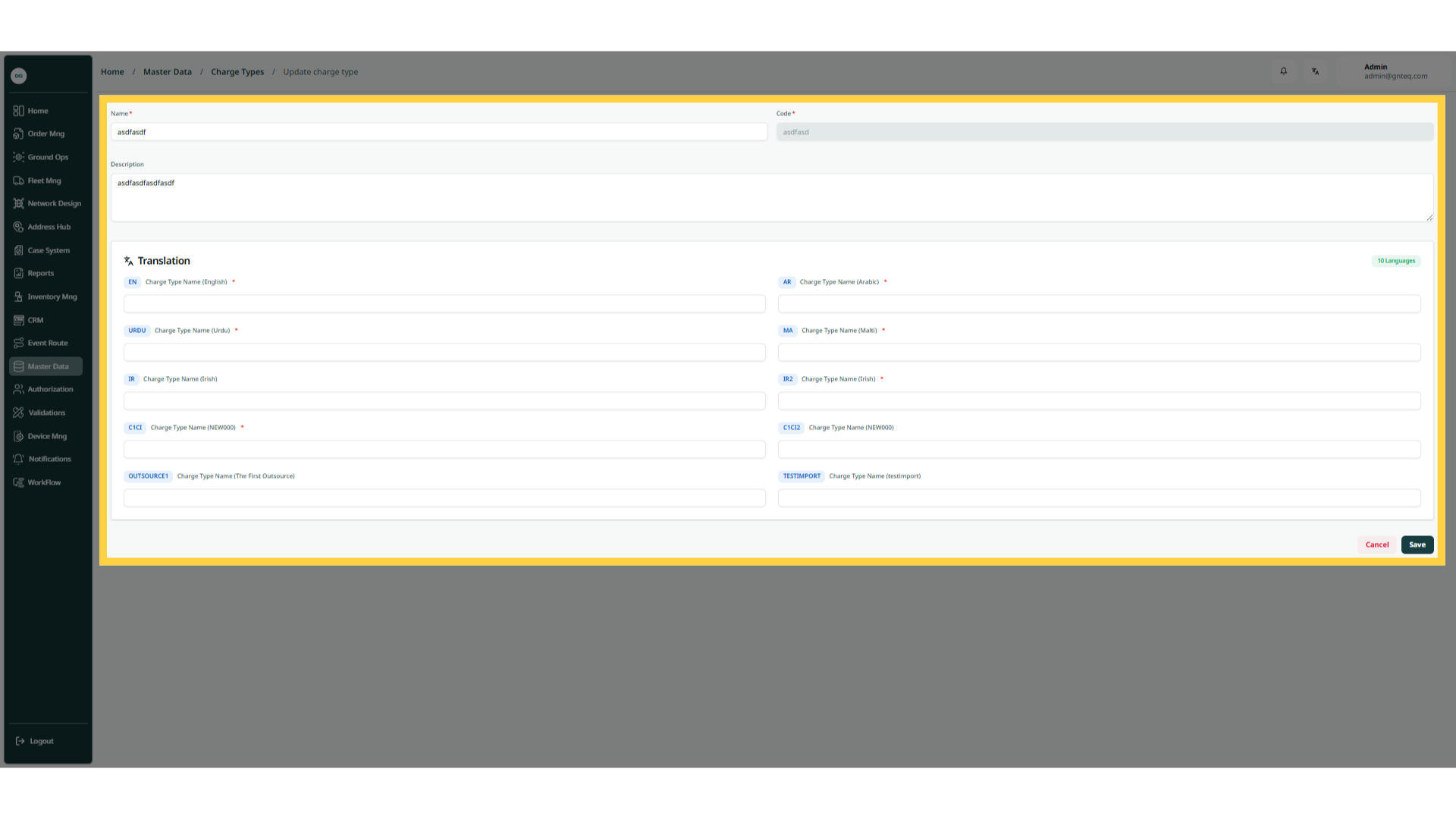
The user can edit the information of an existing charge type by clicking on Edit from Actions by navigating to the ‘Charge Types’ screen via the Master Data.
1.1.2 Delete Charge Type
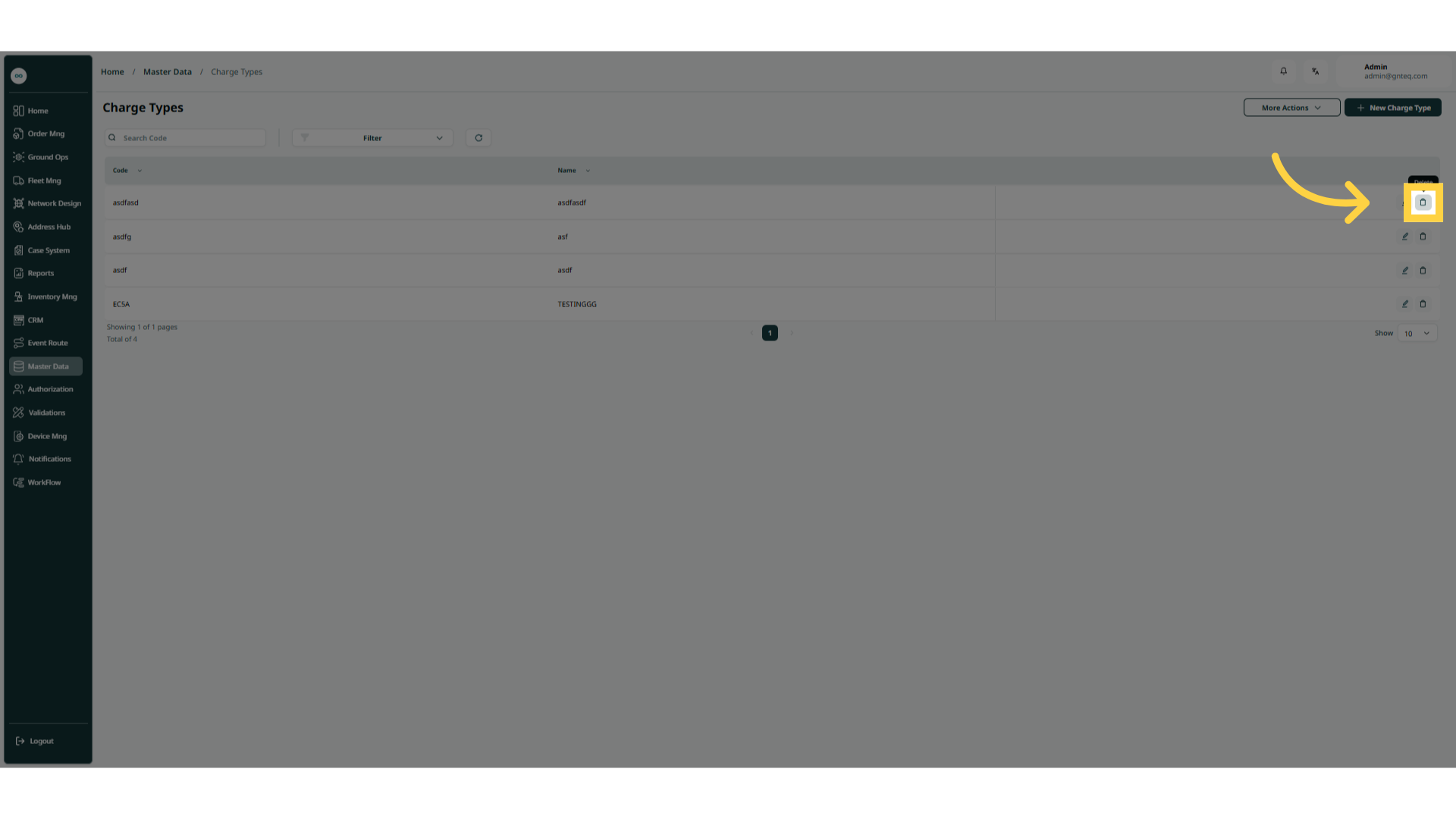
The user can delete charge type by clicking on Delete from Actions by navigating to the ‘Charge Types’ screen via the Master Data.
1.2 Add New Charge Type
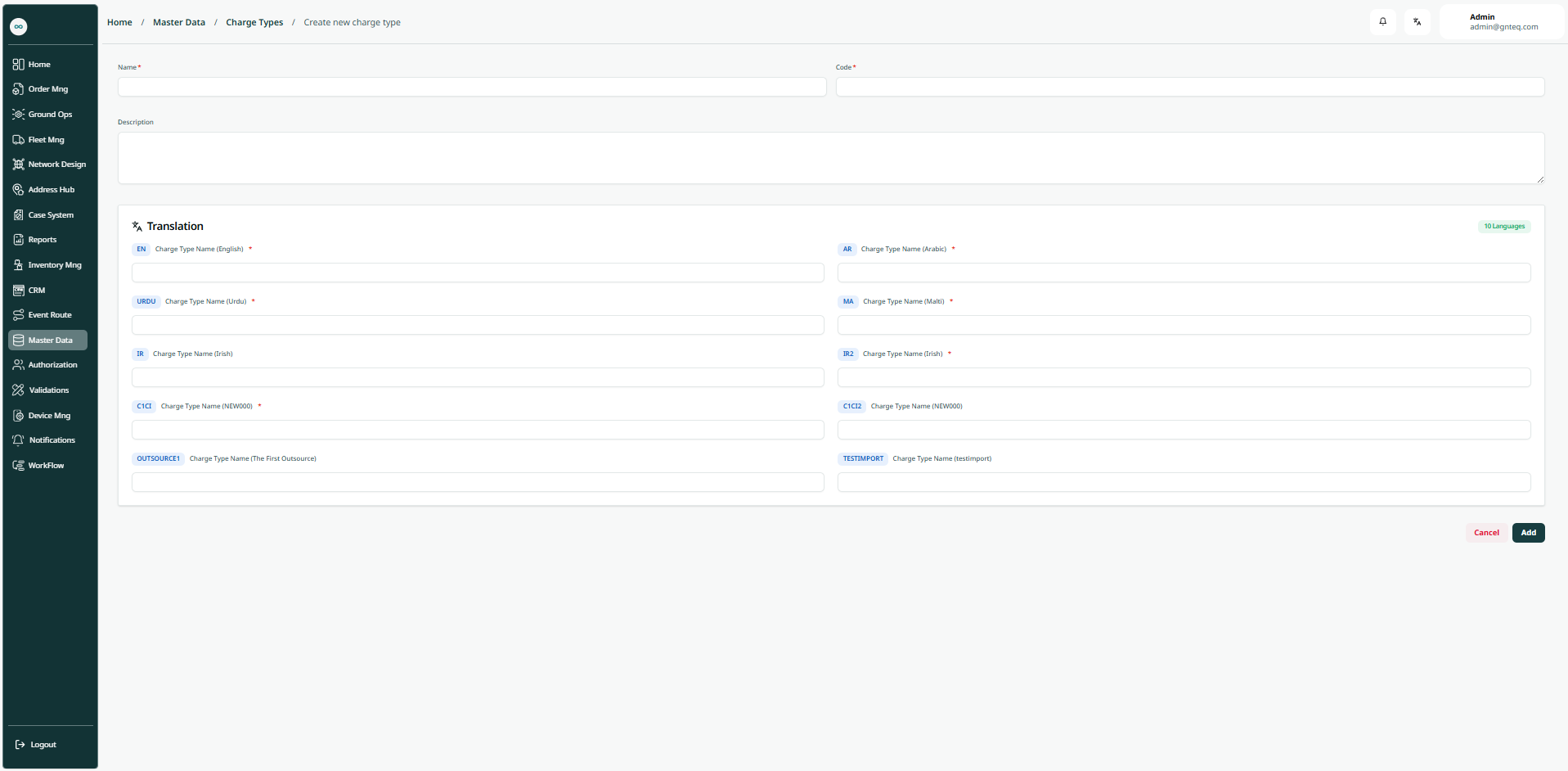
The user can create a new charge type by clicking on New Charge Type by navigating to the ‘Charge Type’ screen via the Master Data.
-
Code: this field represents the charge type unique alphanumeric value.
-
Name: this field represents the charge type name.
-
Description: this field represents a detailed description of the charge type.
-
Charge Type Name (English): this field represents the charge type name in english.
-
Charge Type Name (Arabic): this field represents the charge type name in arabic.
By clicking on Add the charge type will be added successfully.