
1. Reusable Container
1.1 Dashboard
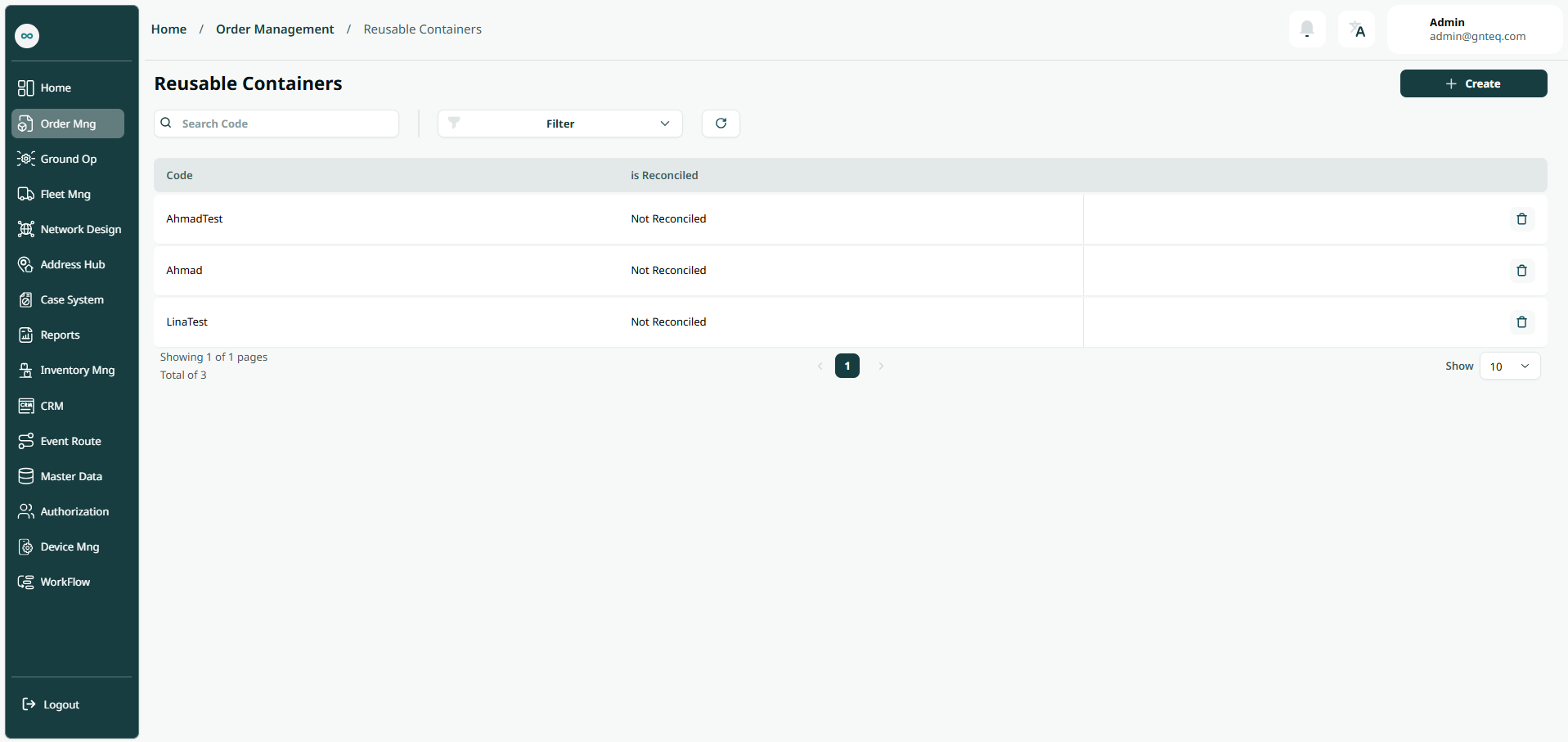
The user can view the defined reusable containers in the system by navigating to the ‘Reusable Containers’ screen in the Order Management from the left navigation panel as follows:
-
New Container: the user can add a new master airwaybill by clicking on “Create”.
-
Filters: the user can search for the container by the code, reconciled, or created at.
-
Search: the user can search for the reusable container by entering the code.
-
Rows Per Page: the user can select the number of items to show on each page.
-
Action: by clicking on Action, the user can delete the container.
1.1.1 Delete Container
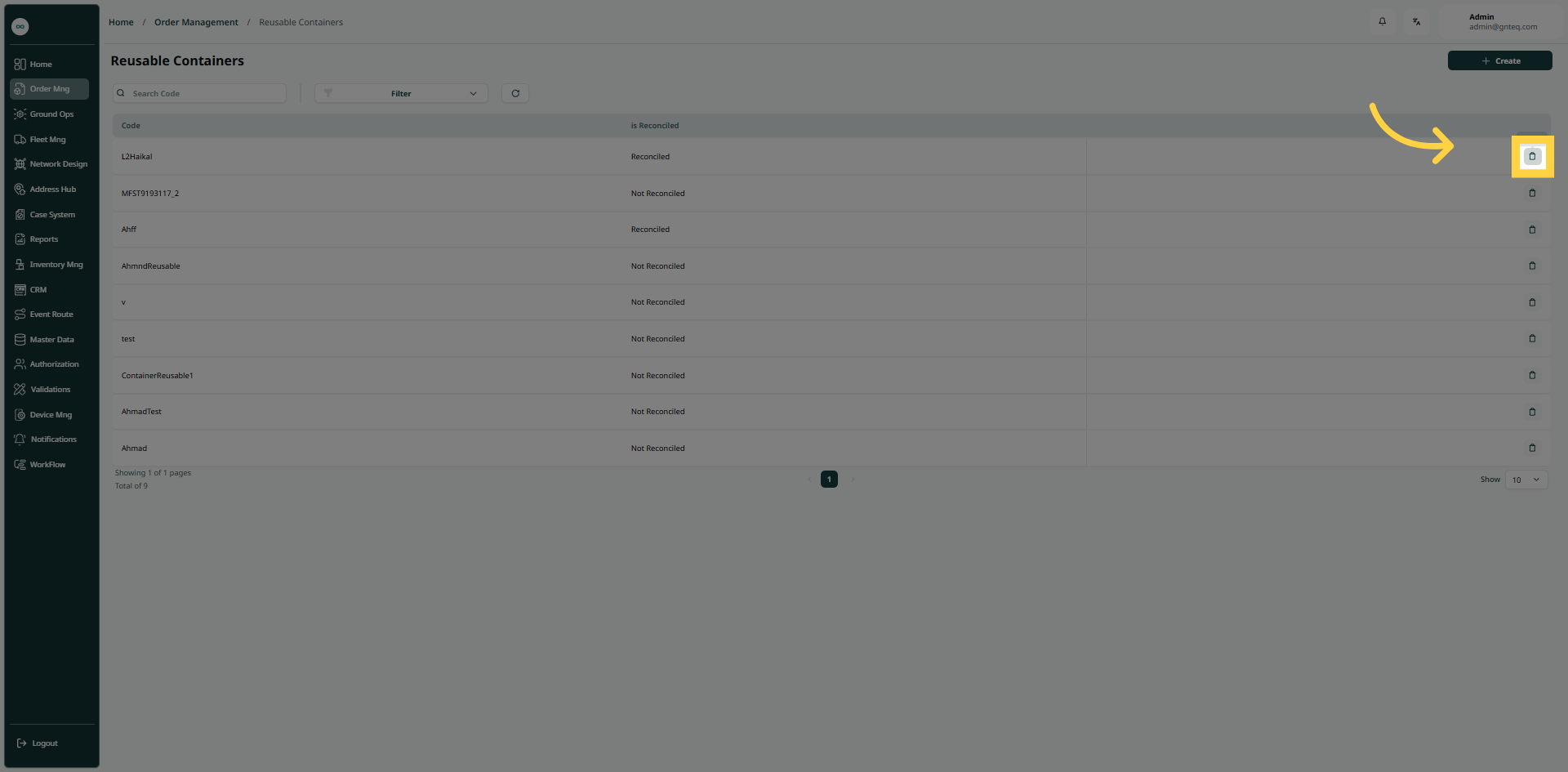
The user can delete a reusable container by navigating to the ‘Reusable Container’ screen via the Order Management and clicking on Delete from Actions as follows:
1.2 Add New Reusable Container
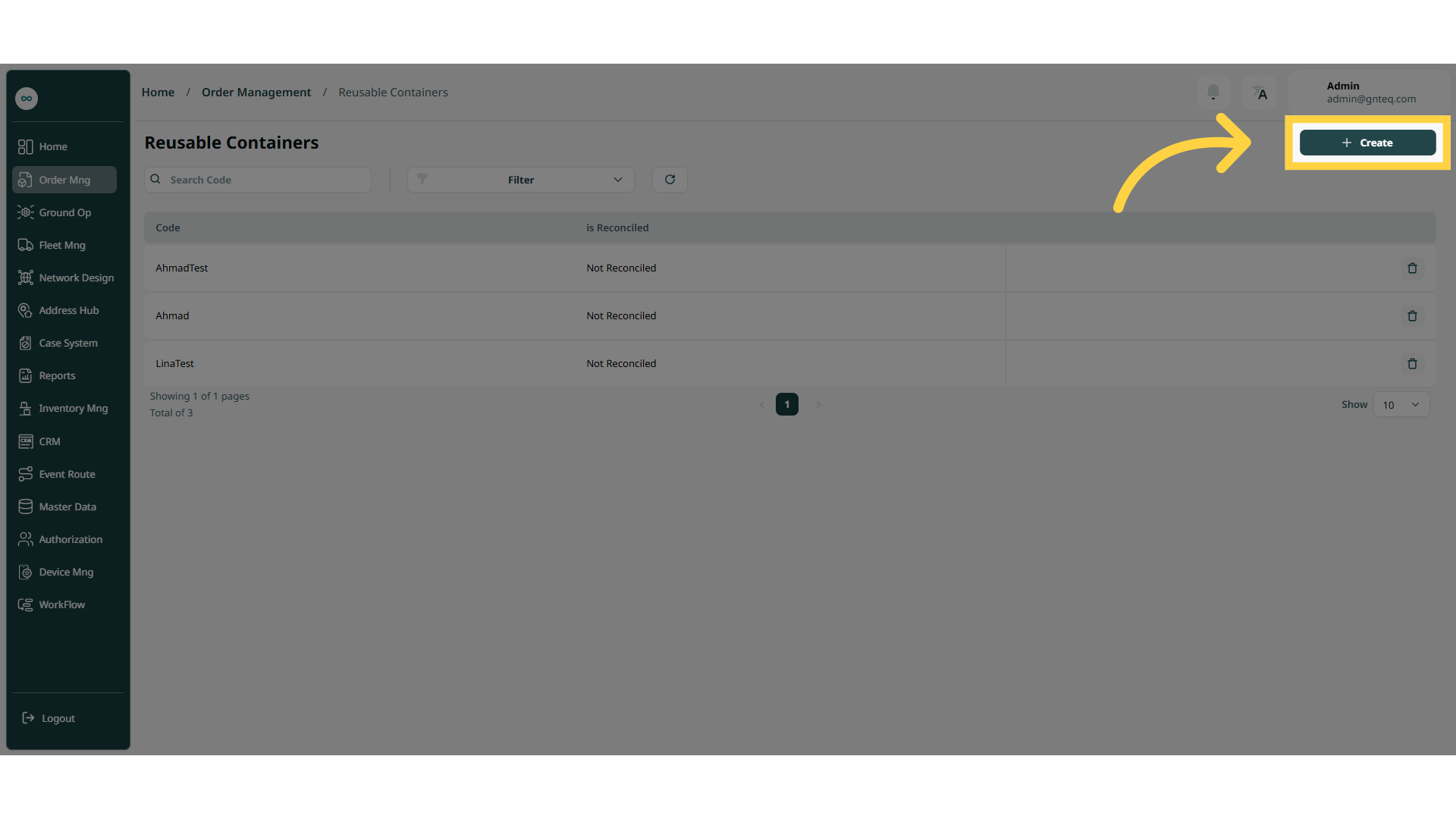
The user can add a new reusable container by navigating to the ‘Reusable Container’ screen via the Order Management as follows:
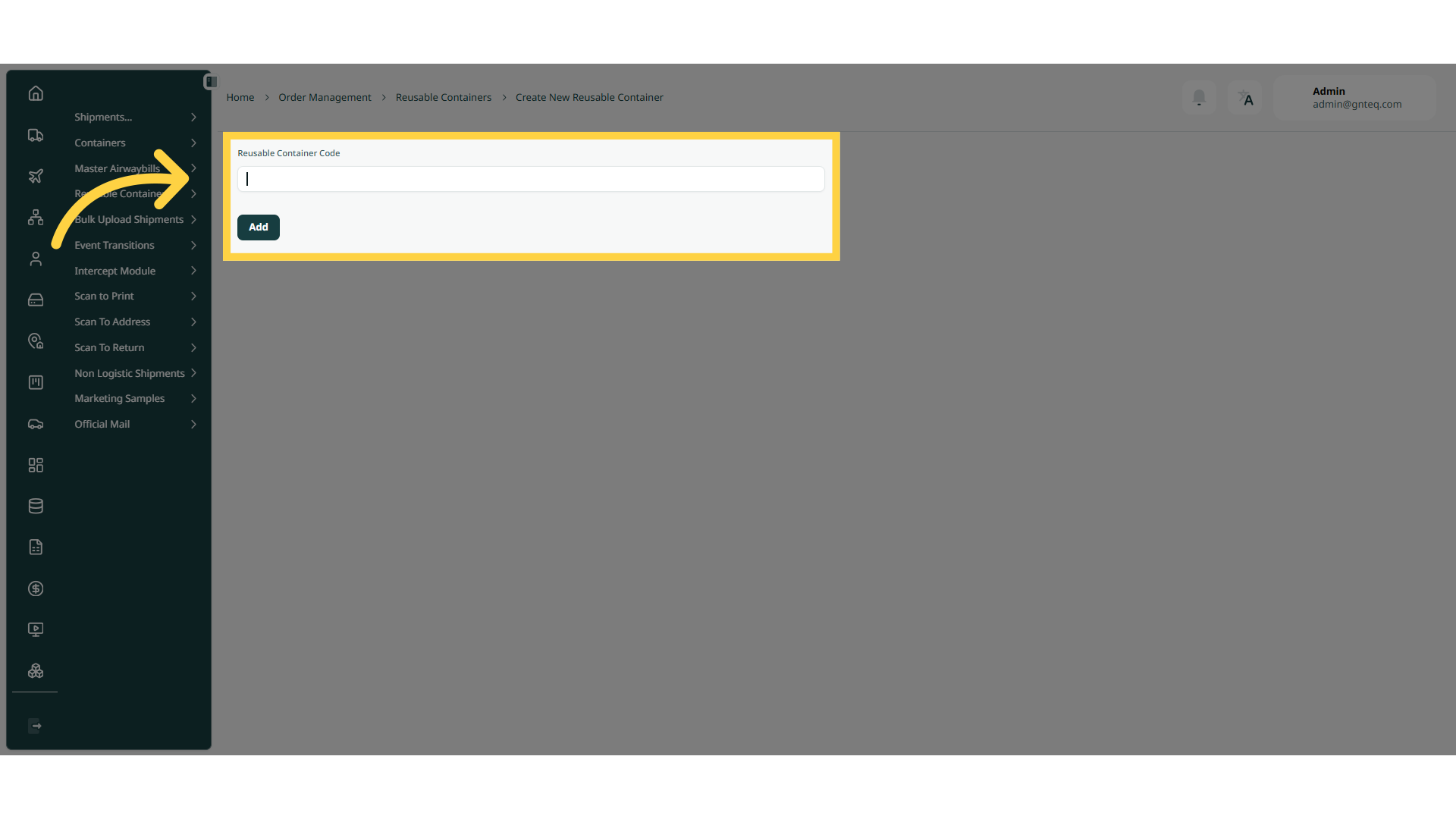
By clicking on “Add”, the container will be added successfully.