1. Address Correction
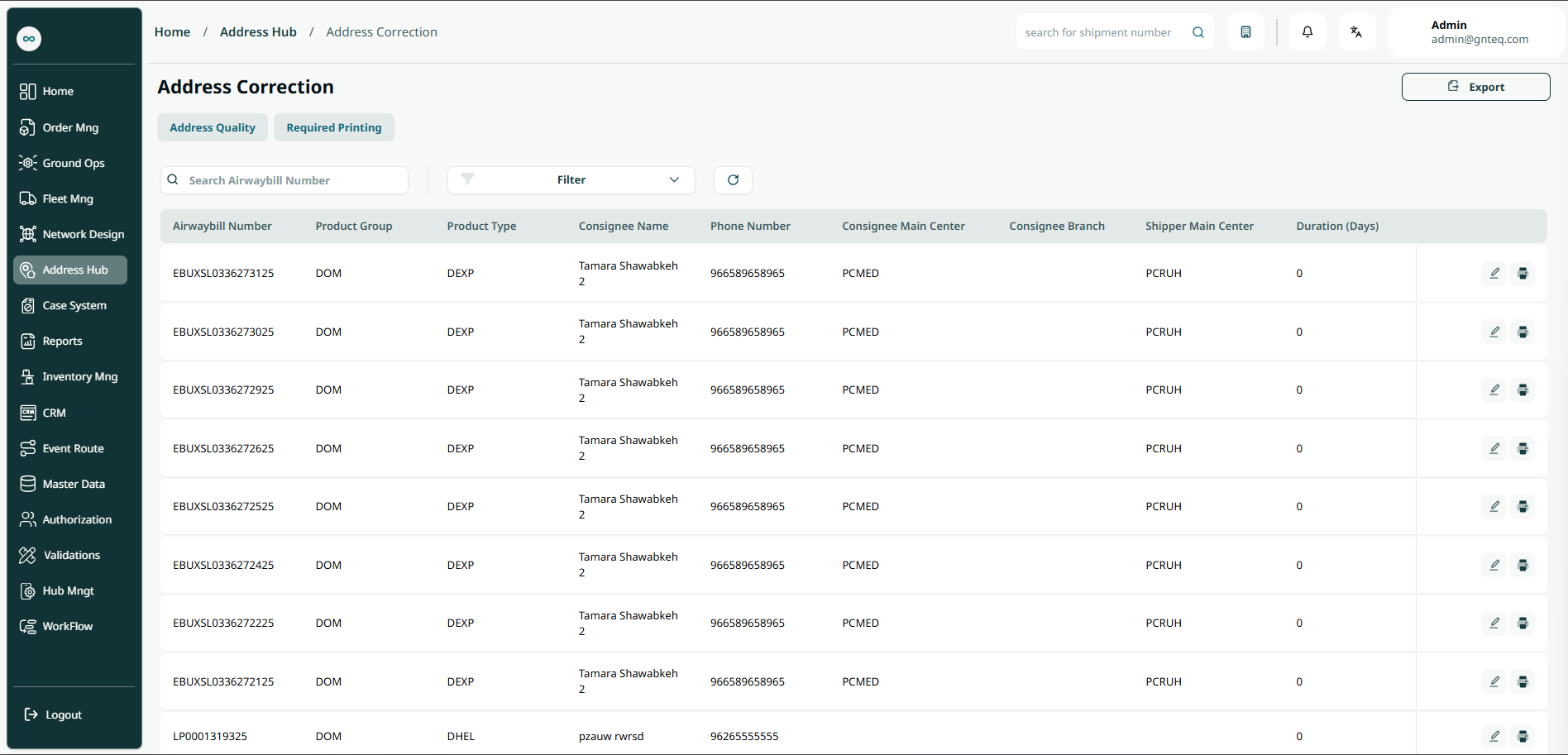
The user can view all the addresses that need to be corrected in the system by navigating to the ‘Address Correction’ screen in the Address Hub from the left navigation panel as follows:
-
Export: the user can export addresses in excel file by clicking on Export.
-
Search: the user can search for an address by typing the airwaybill number.
-
Filter: the user can search for an address by shipper name, consignee name, product group, product type…..etc.
-
Actions: by clicking on Actions, the user can edit address from the edit section, print label for the address.
1.1 Edit Information
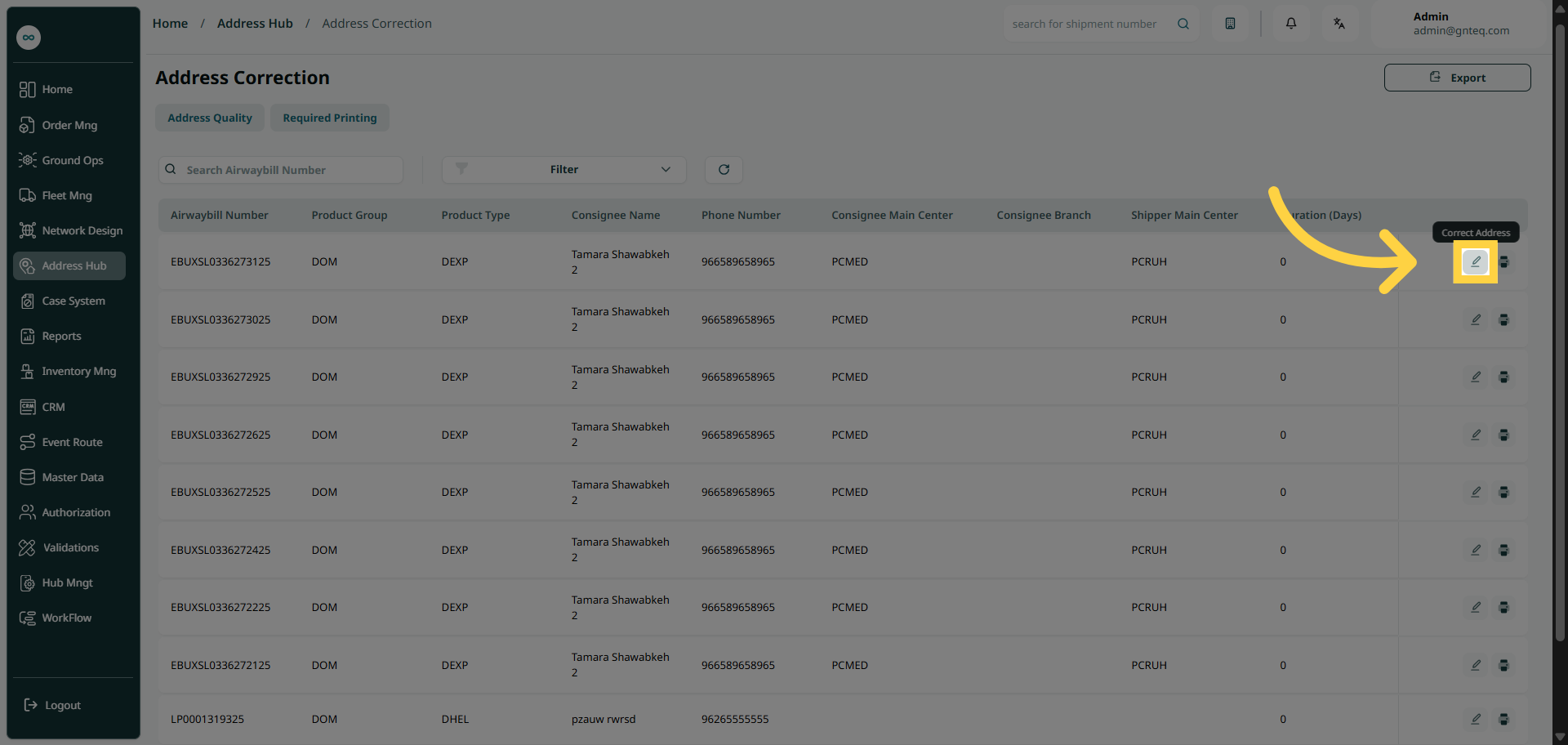
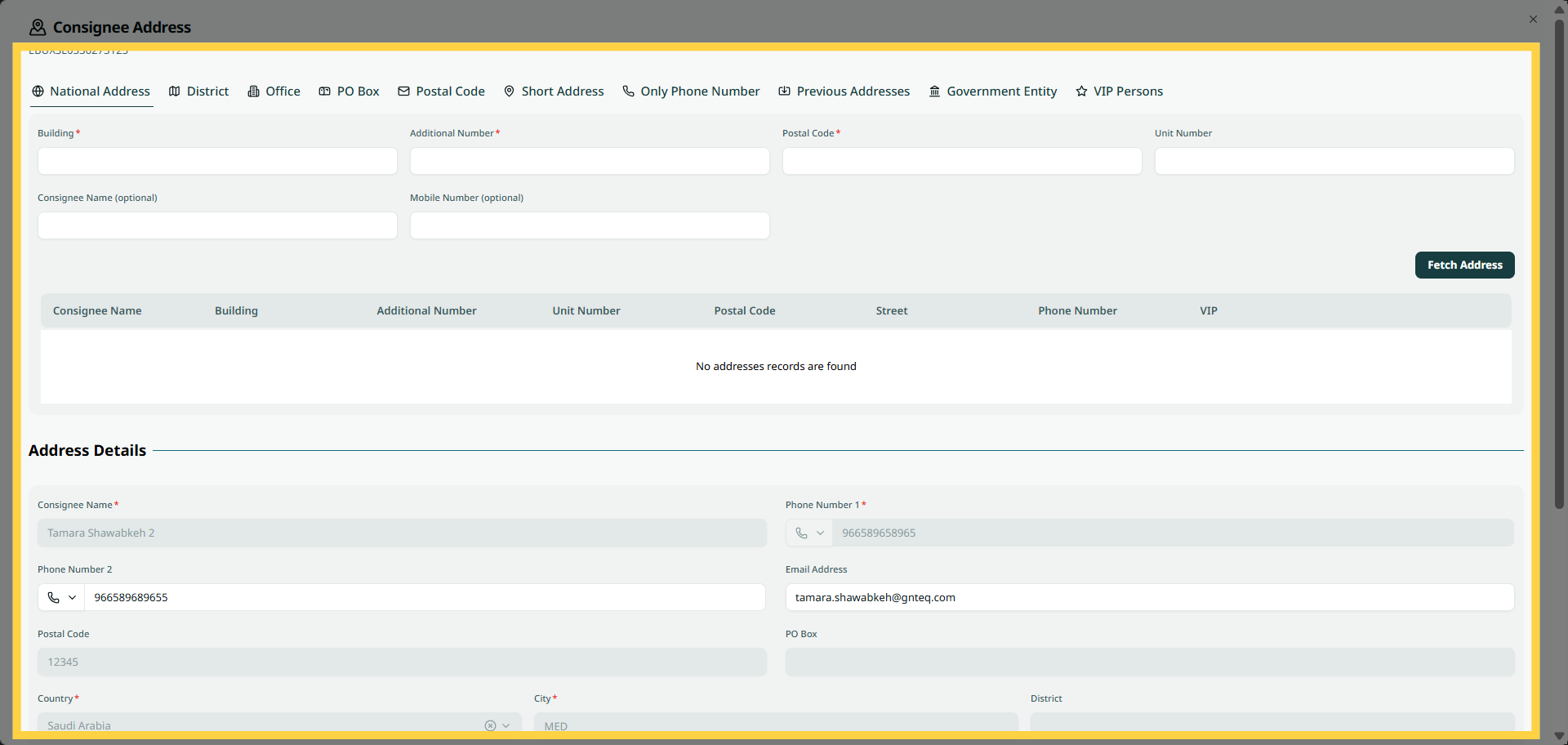
The user can edit an existing address in the system by navigating to the ‘Address Correction’ screen in Address Hub by clicking on Edit from Actions.
1.2 Print Label
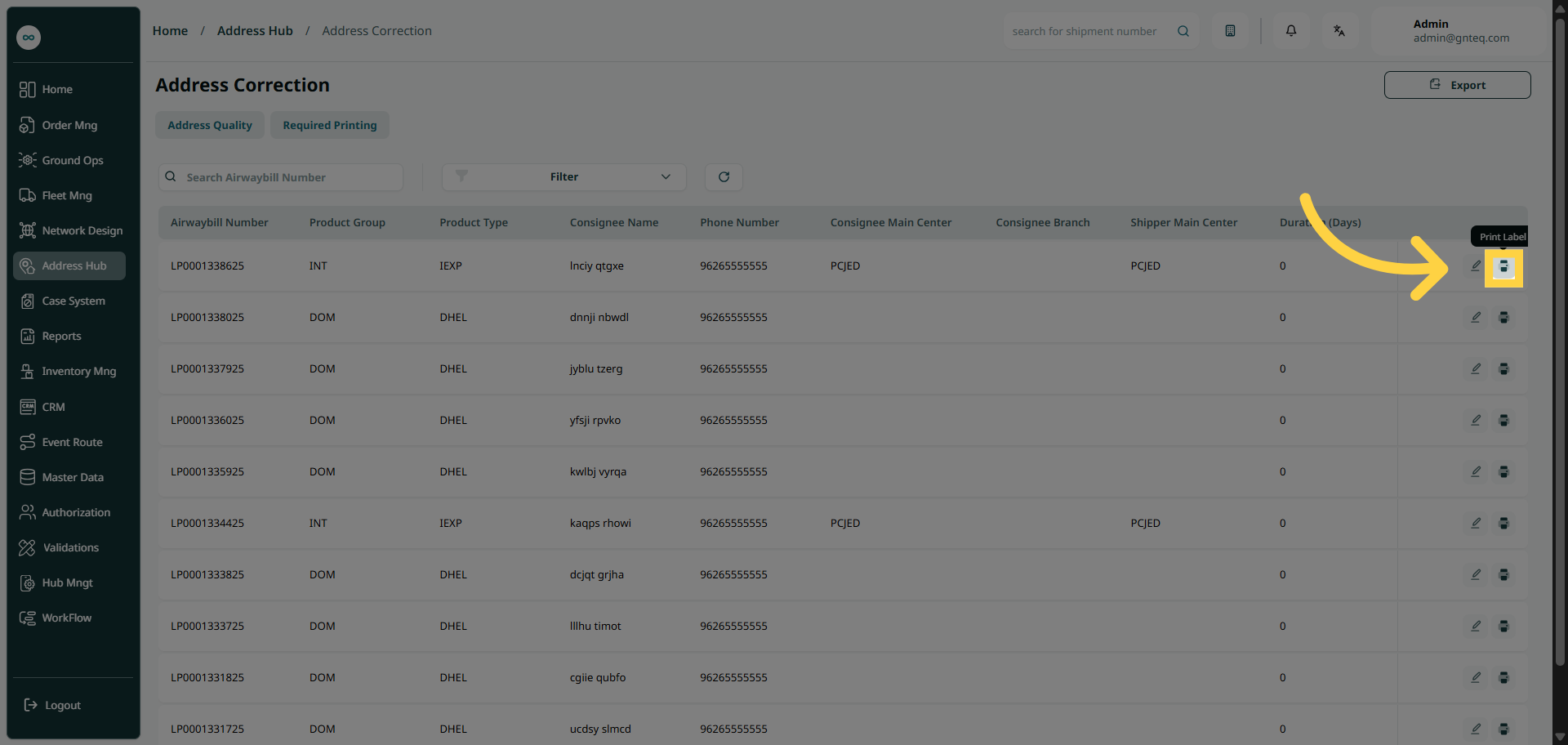
The user can print label for an existing address in the system by navigating to the ‘Address Correction’ screen in Address Hub by clicking on Print Label from Actions.