1. SAL Operation
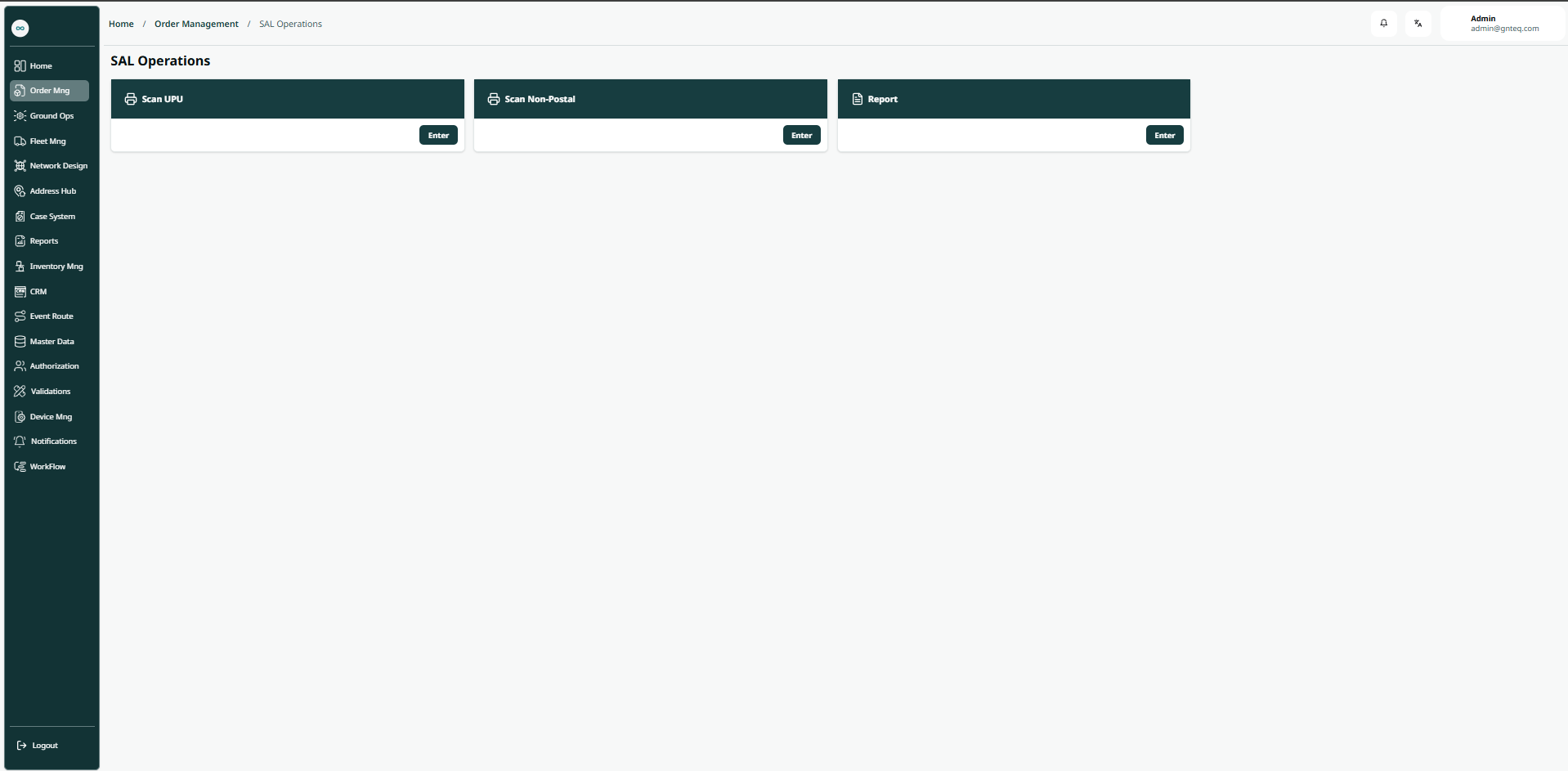
1.1 Dashboard
The user can view the defined SAL operation in the system by navigating to the ‘SAL Operation’ screen in the Gateway Module from the left navigation panel as follows:
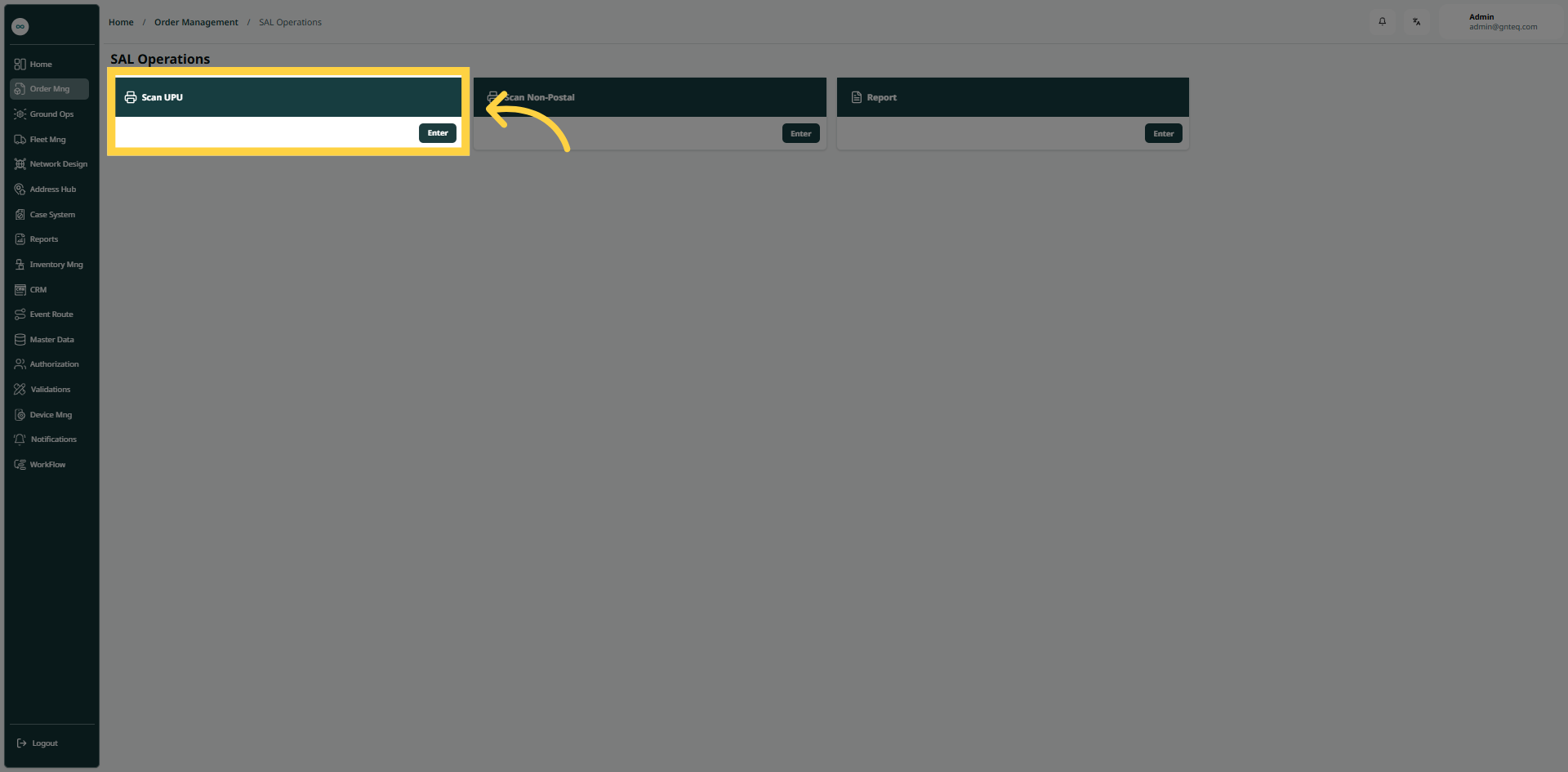
1.1.1 Scan UPU
The user can scan the UPU in the system by navigating to the ‘SAL Operation’ screen in the Gateway Module from the left navigation panel as follows:
-
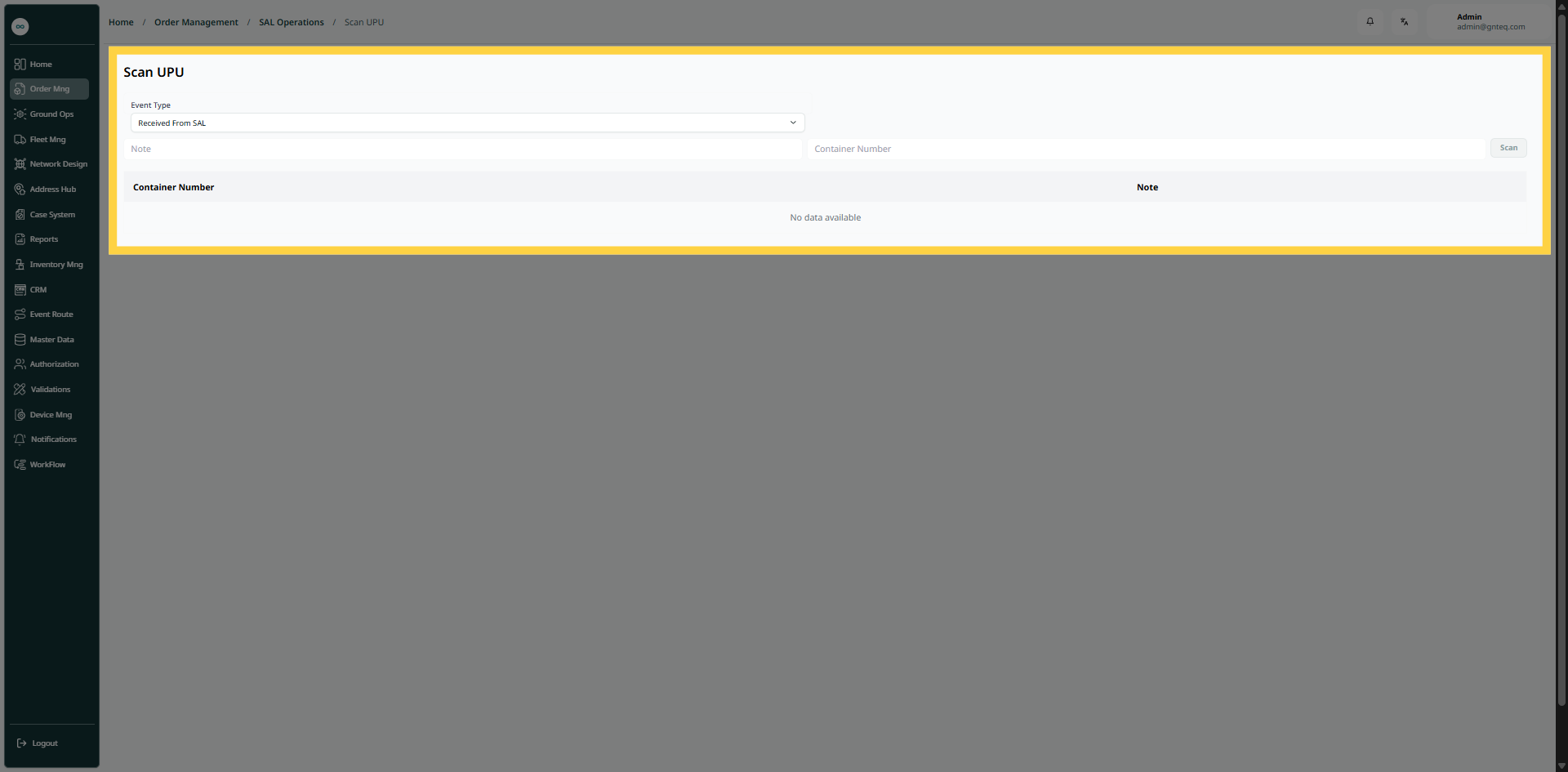
Event Type: this field represents the type of the event ( Delivered to SPL, Received From SAL)
-
Container Number: this field represents the number of the container.
-
Note: this field represents the notes related to the scan operation.
By clicking on Scan Container, the scan will be created successfully.
1.1.2 Scan Non-Postal
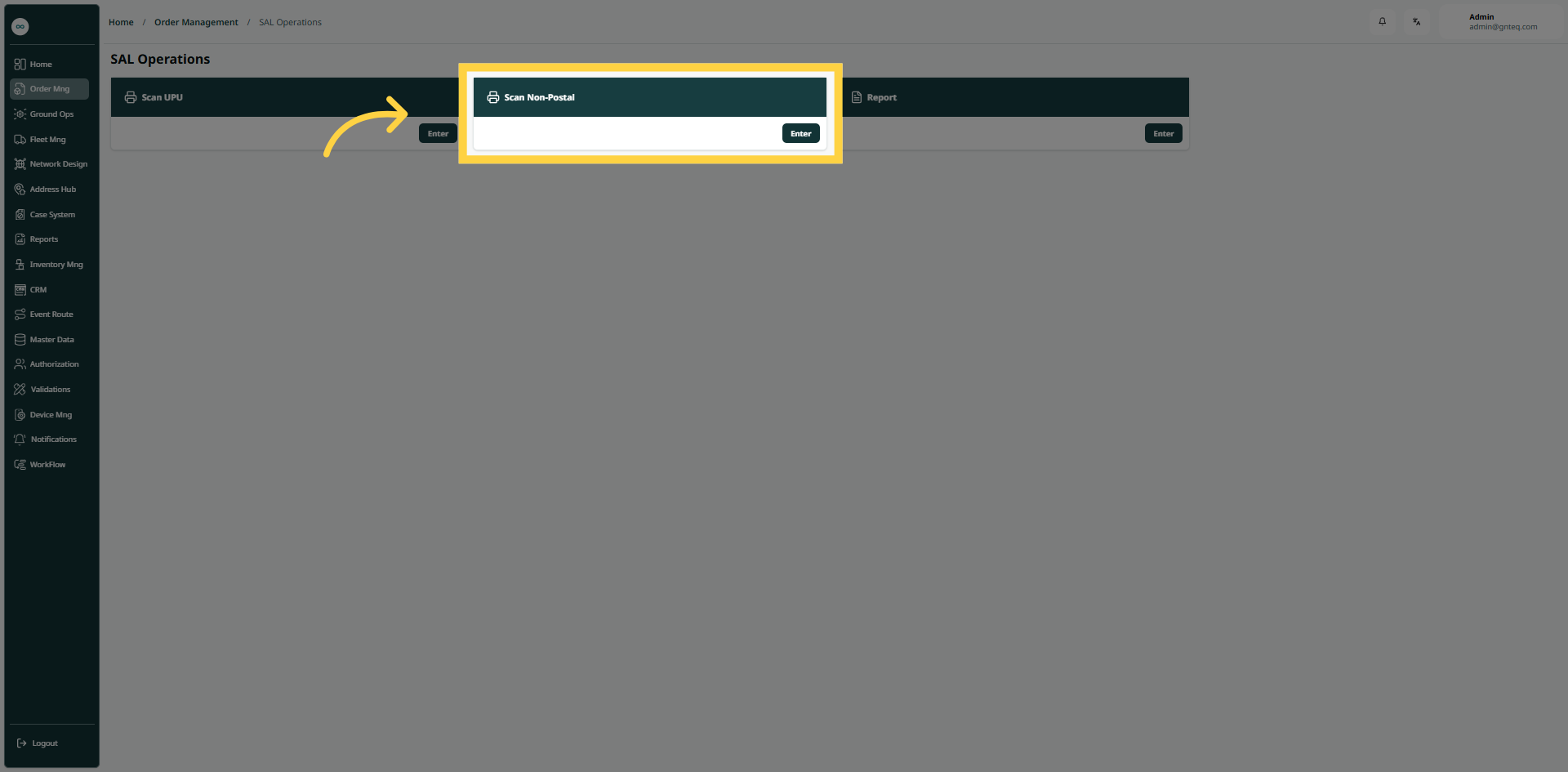
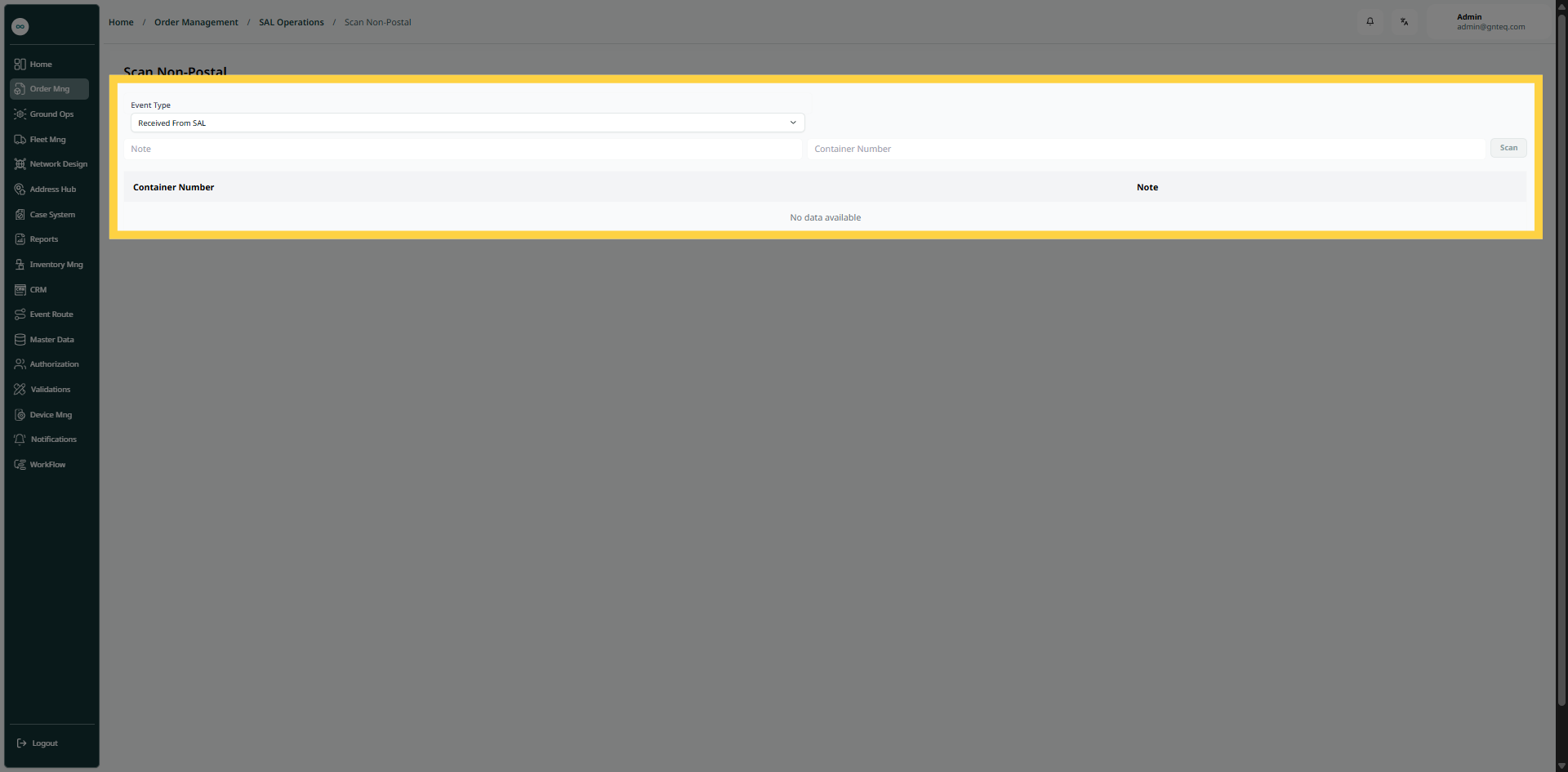
The user can scan non-postal in the system by navigating to the ‘SAL Operation’ screen in the Gateway Module from the left navigation panel as follows:
-
Event Type: this field represents the type of the event ( Delivered to SPL, Received From SAL)
-
Container Number: this field represents the number of the container.
-
Note: this field represents the notes related to the scan operation.
By clicking on Scan Container, the scan will be created successfully.
1.1.3 Reports
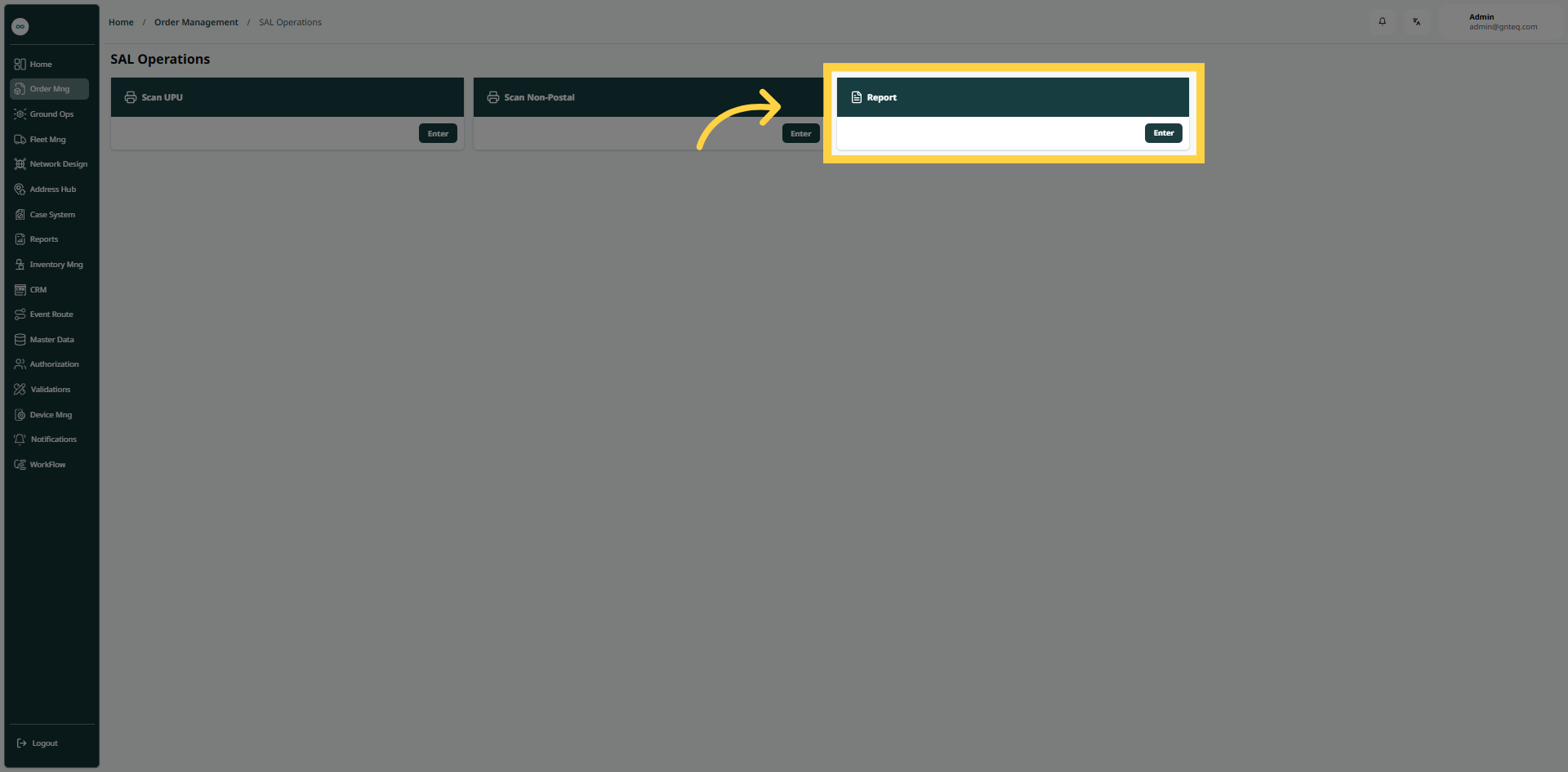
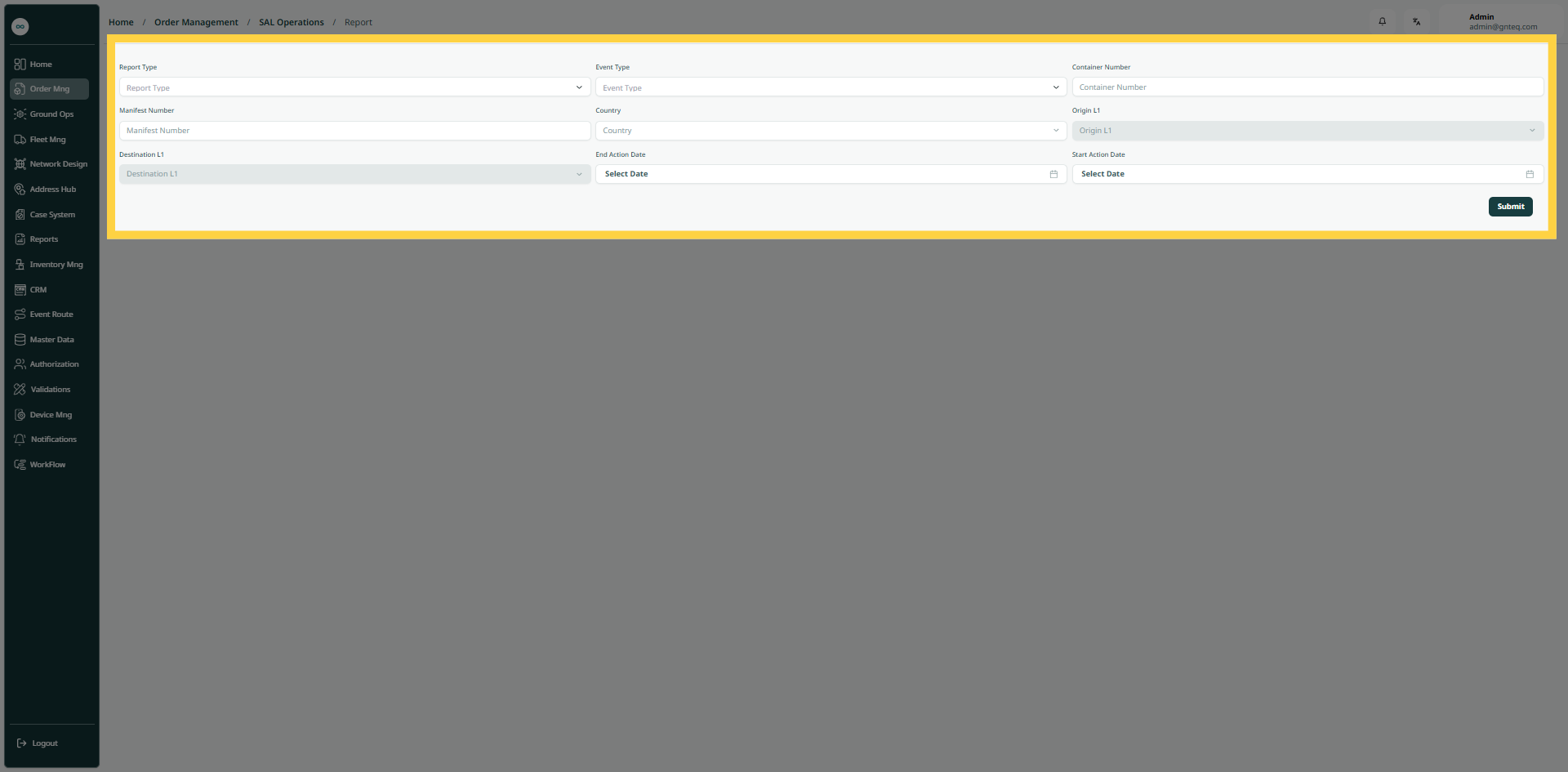
The user can create reports in the system by navigating to the ‘SAL Operation’ screen in the Gateway Module from the left navigation panel as follows:
-
Report Type: this field represents the type of report.
-
Event Type: this field represents the type of the event ( Delivered to SPL, Received From SAL)
-
Container Number: this field represents the number of the container.
-
Manifests Number: this field represents the number of the manifests.
-
Country: this field represents the name of country.
-
Origin Main Center : this field represents the name of the main center in the origin country.
-
Destination Main Center: this field represents the name of the main center in the destination country.
-
End Action Date: this field represents the deadline to complete the task.
-
Start Action Date: this field represents the start date for the task.
By clicking on Submit, the report will be created successfully.