
1. Permissions
1.1 Dashboard
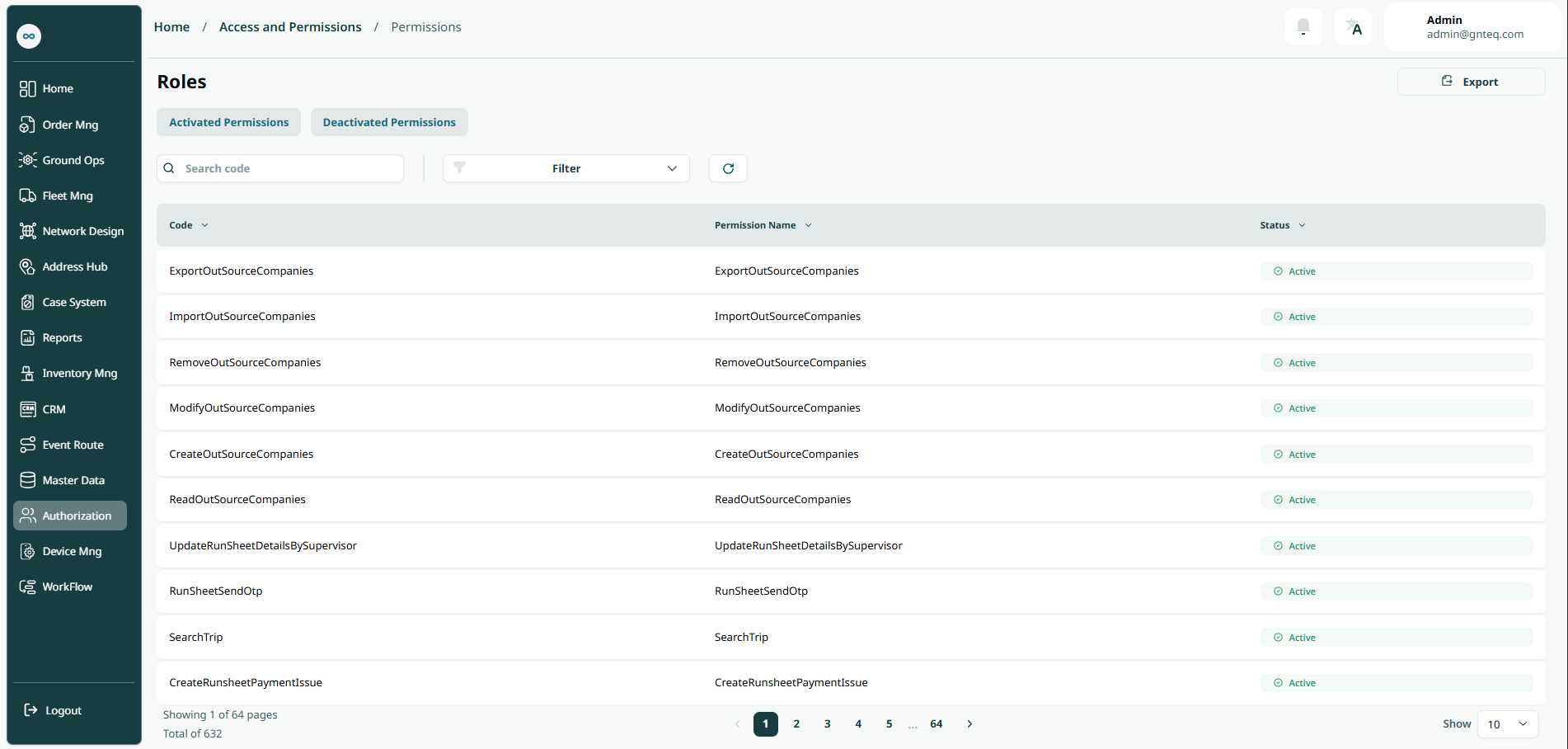
The admin can see and view all permissions by navigating to the Authorization module and clicking on Permissions button from the left bar:
-
Export: the admin can export the list as an Excel file by selecting export button.
-
Activated Permissions: the admin can access the enabled permissions screen by clicking "Enabled Permissions."
-
Deactivated Permissions: the admin can access the disabled permissions screen by clicking "Deactivated Permissions."
-
Search: the admin can search for a permission by typing the code.
-
Filters: the admin can search for a permission by its name.
-
Rows Per Page: the admin can select the number of items to show on each page.