
1. District Zip Codes Creation Overview
1.1 Dashboard
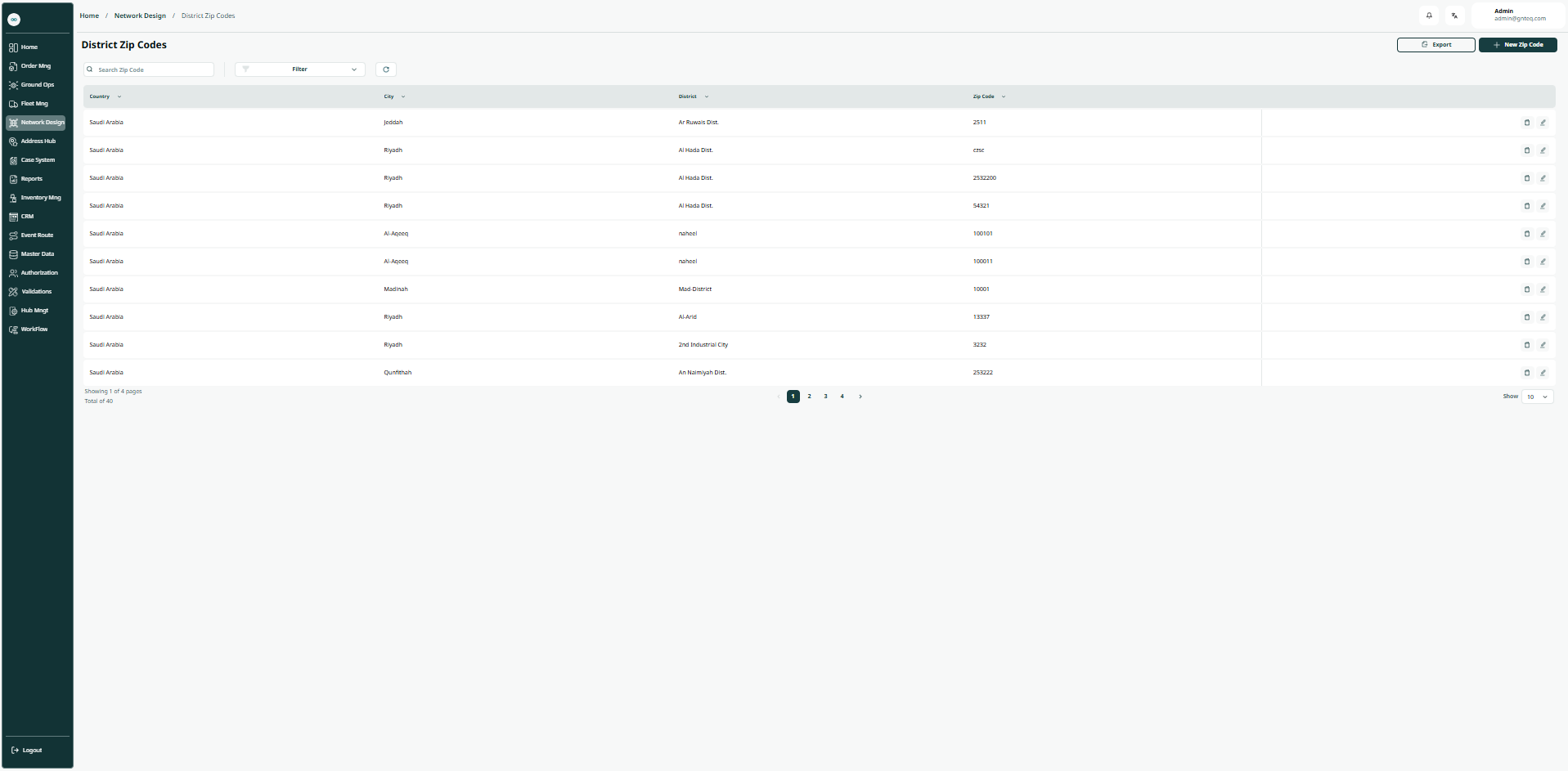
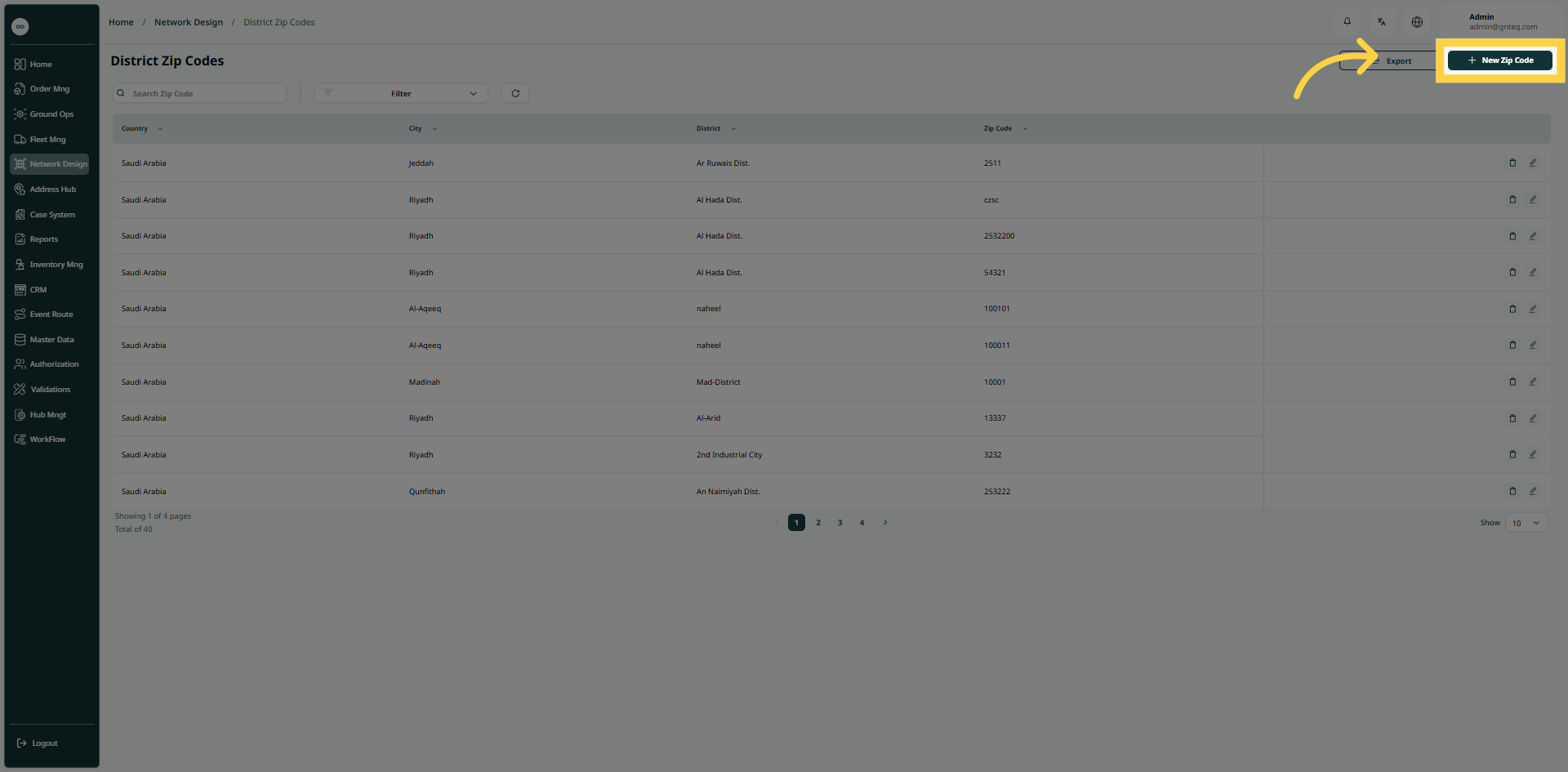
The user can view the defined district zip codes in the system by navigating to the ‘District Zip Codes’ screen in the Network Design Module from the left navigation panel as follows:
-
New District Zip Code: the user can add a new district zip code by clicking on New Zip Code.
-
Export: the user can export list of regions an Excel file by selecting export button.
-
Filters: the user can search for the district variation by the district.
-
Search: The user can search for district by entering the zip code.
-
Rows Per Page: the user can select the number of items to show on each page.
-
Actions: by clicking on Actions, the user can edit the district zip code by going to the edit district zip code section, or delete the district zip code.
1.1.1 Edit District Zip Code
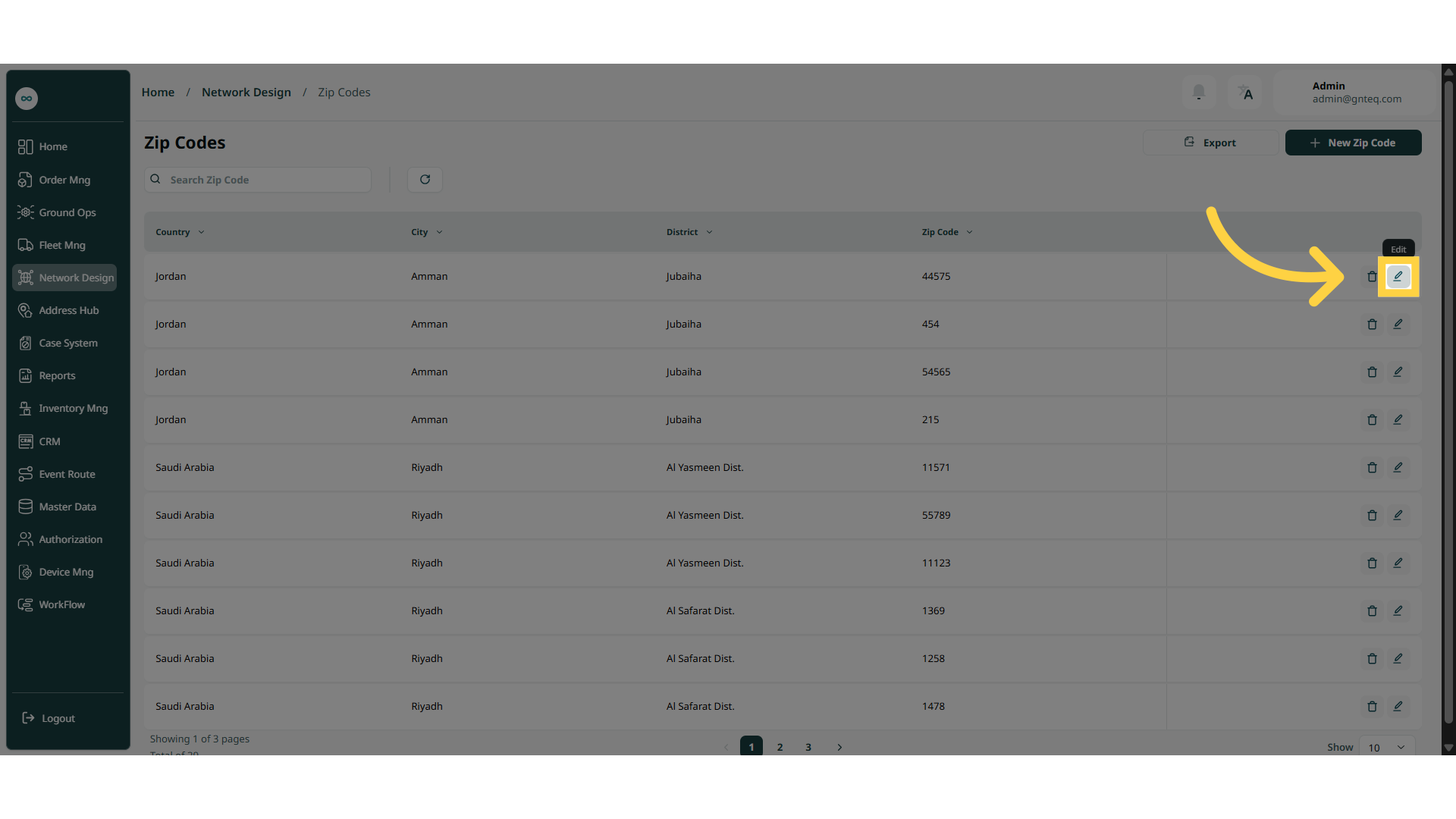
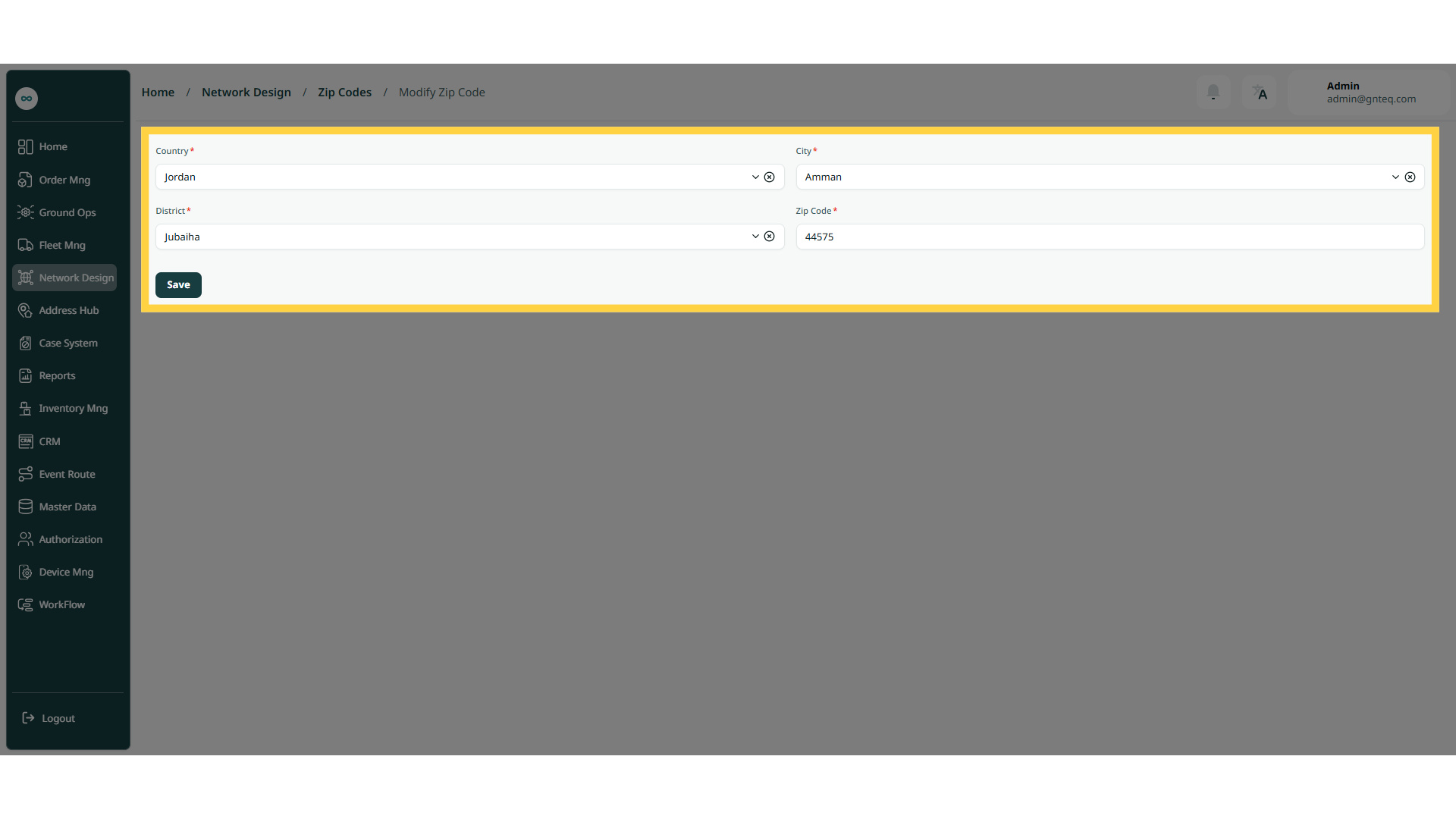
The user can edit an existing district zip code by navigating to the ‘District Zip Codes’ screen via the Network Design Module and clicking on Edit Zip Code button:
1.1.2 Delete District Zip Code
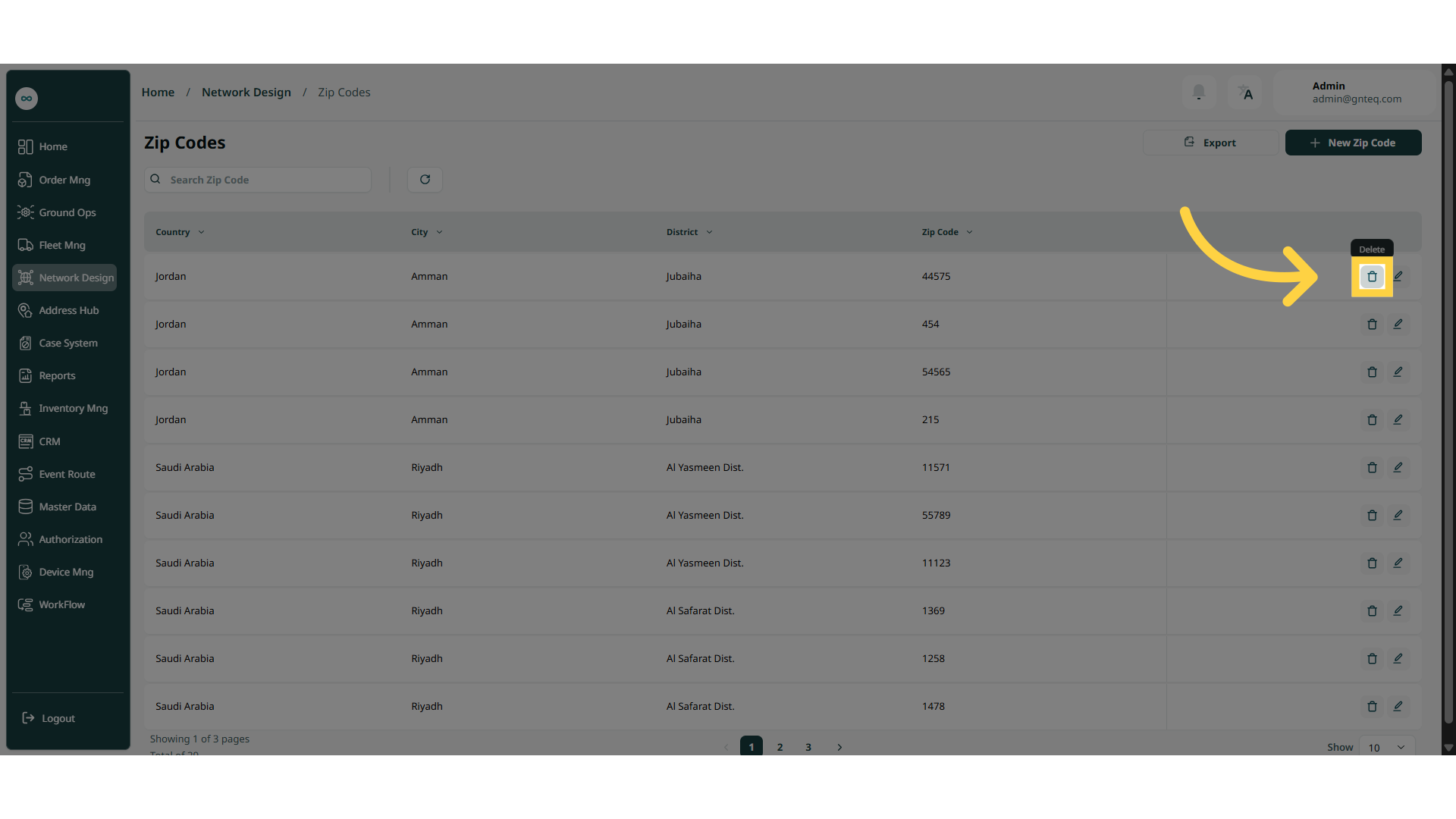
The user can delete an existing district zip code by navigating to the ‘District Zip Codes’ screen via the Network Design Module and clicking on Delete Zip Code button:
1.2 Add New District Zip Code
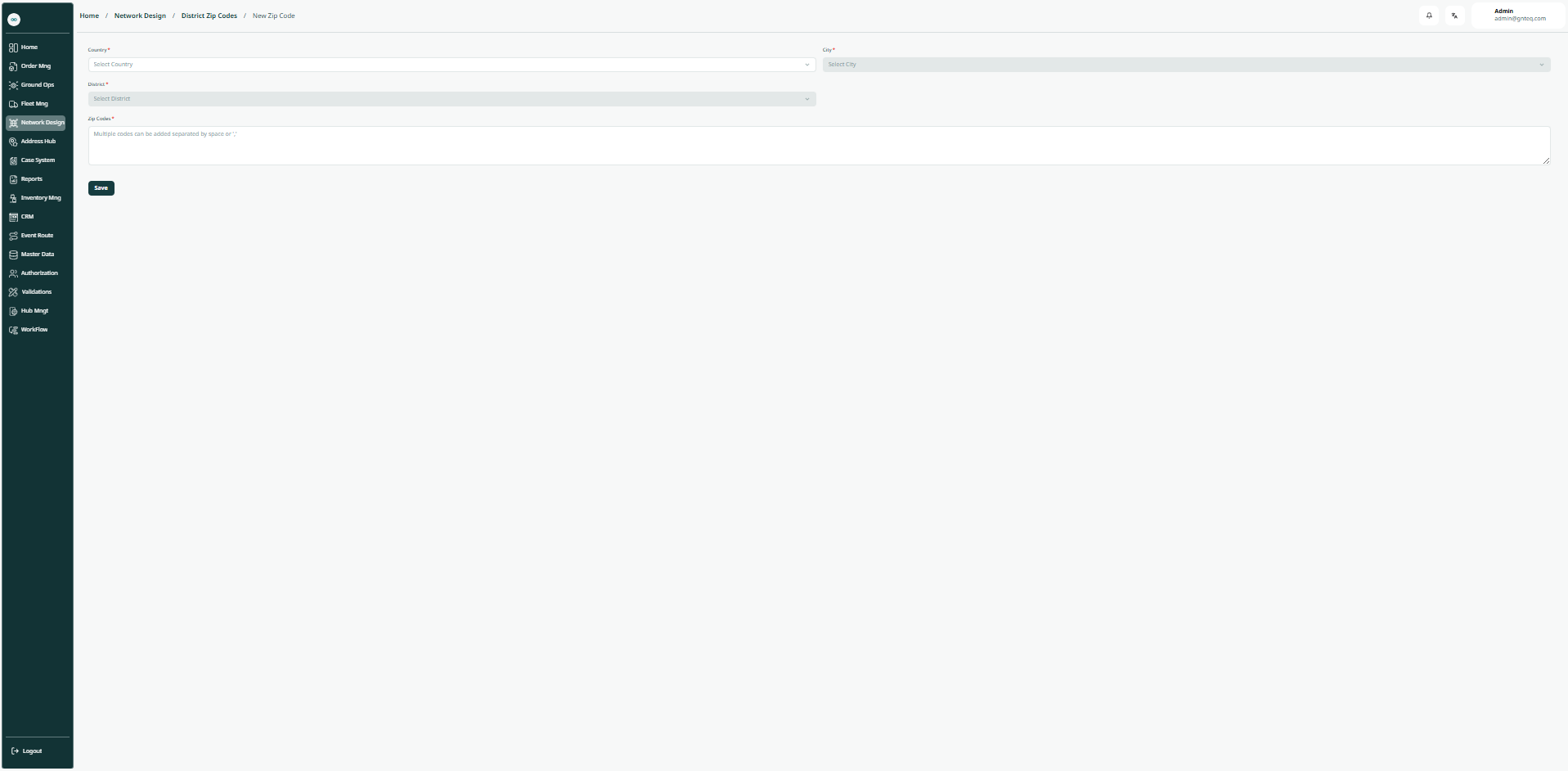
The user can create a new district zip code by going to the "District Zip Code" screen via the Network Design module and clicking on New Zip Code button:
-
Country: this field represents the location to which the zip code will be added.
-
City: this field represents the city to which the zip code will be added.
-
District: this field represents the name of the district to be added.
-
Zip Codes: this field represents the zip codes to be added.
By clicking on Save, the zip code will be added successfully.